Point of sale and business software for game stores
GeekBase POS runs the counter and the back office in one system: a register built for TCG singles and trade-ins, one inventory for your store and your website, plus scheduling, payroll records, and reports. Register sales are fee-free on every plan, and it runs in the browser on the PC or tablet you already own.
Free plan included. No card required to start.
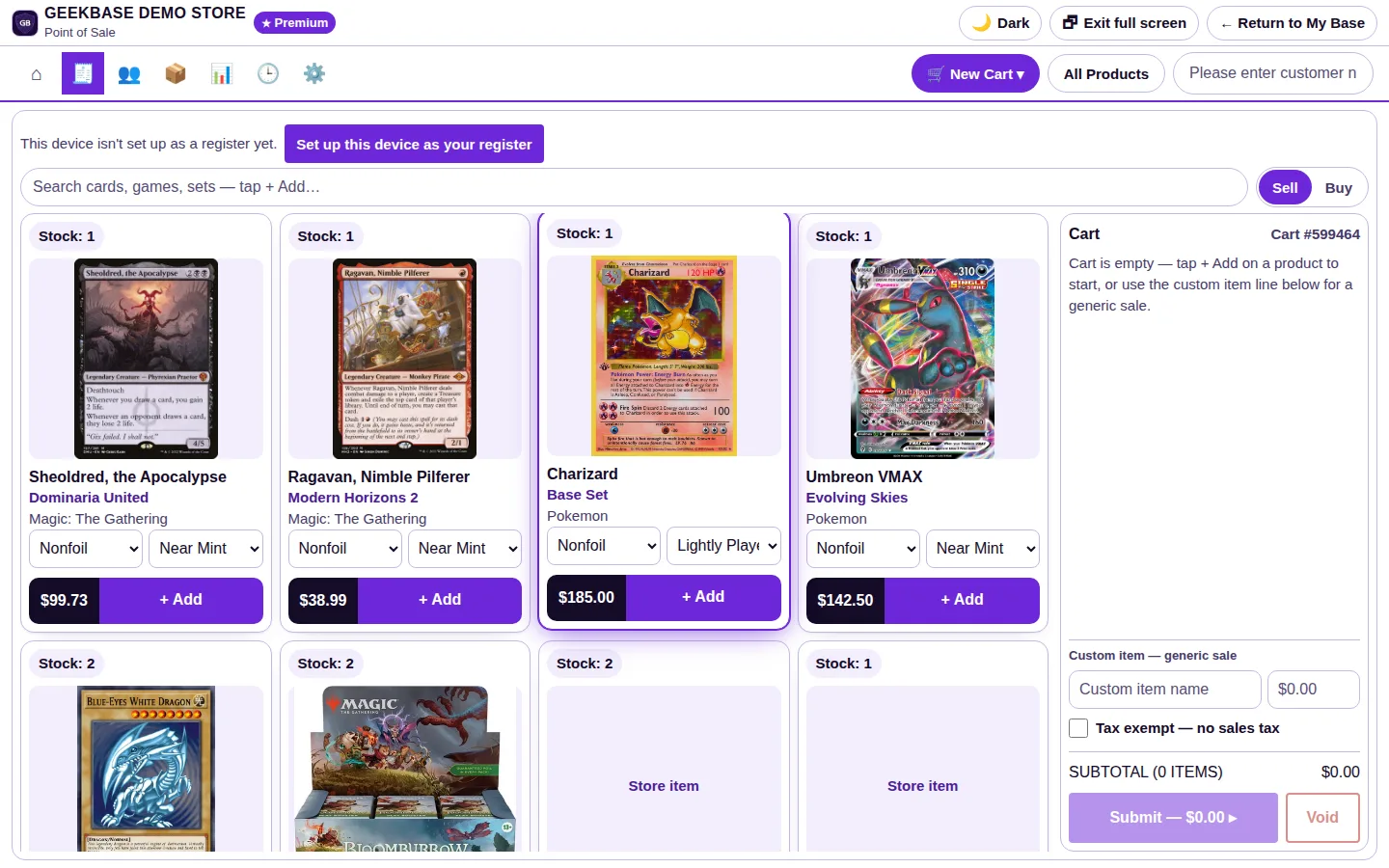
The register, in the GeekBase Demo Store. Phone views show a close-up — tap any screenshot to see the full screen.
A walkthrough of the system
Just under six minutes, narrated. The register and the eight tools behind it, talked through one by one in the order a store uses them — every screen from the GeekBase Demo Store.
The tools
Nine tools under one login, sharing one inventory and one customer list. Open any tool for every page it contains, in detail, and the questions stores ask about it.
Register
Sales, buy-ins, and both together in one cart, rung from the same stock your website sells.
- Sell and Buy in one cart. A customer's trade-in and their purchase settle together, with store credit applied on the spot.
- Exact printings. Every TCG single rings up as its printing, finish, and condition — there are no generic card lines.
- PIN sign-in. Register sessions open with a starting bank and close with a report. Voids require a manager PIN.
Every page, in detail
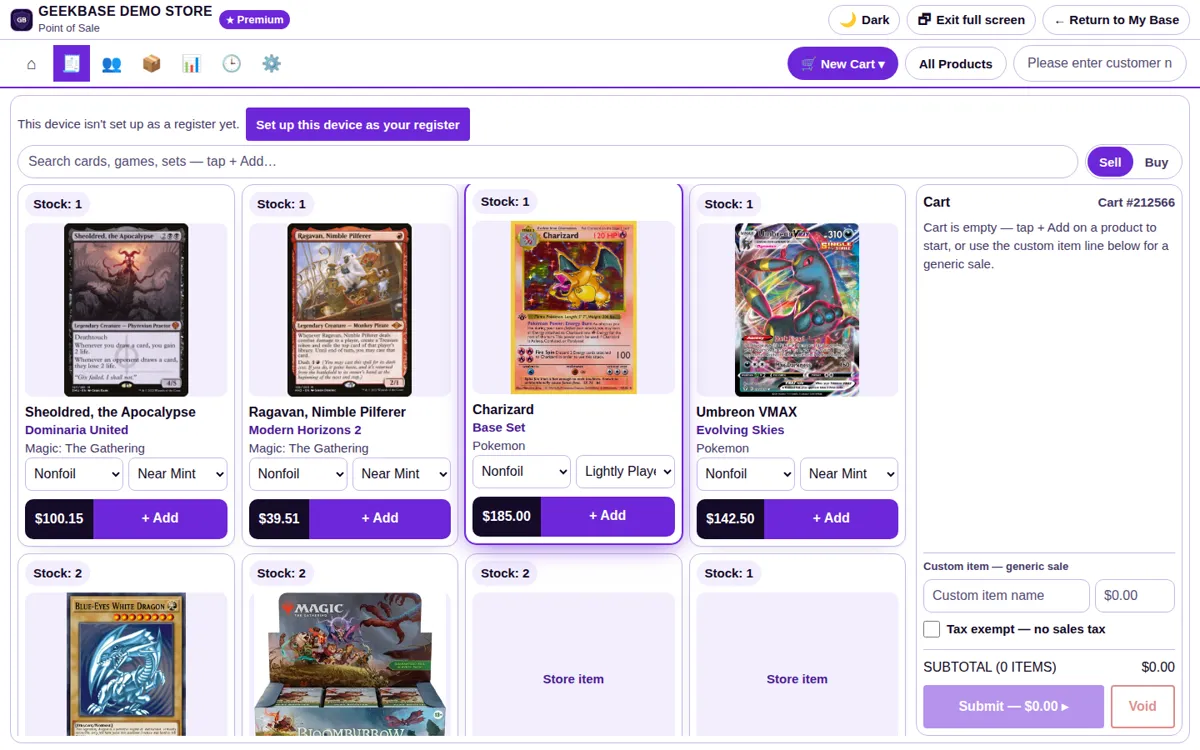
Sell screen
Search cards, games, and sets, or scan a barcode. Each tile shows the card's real art, set, finish and condition selectors, live stock count, and price — tap Add and it lands in the cart at that exact printing.
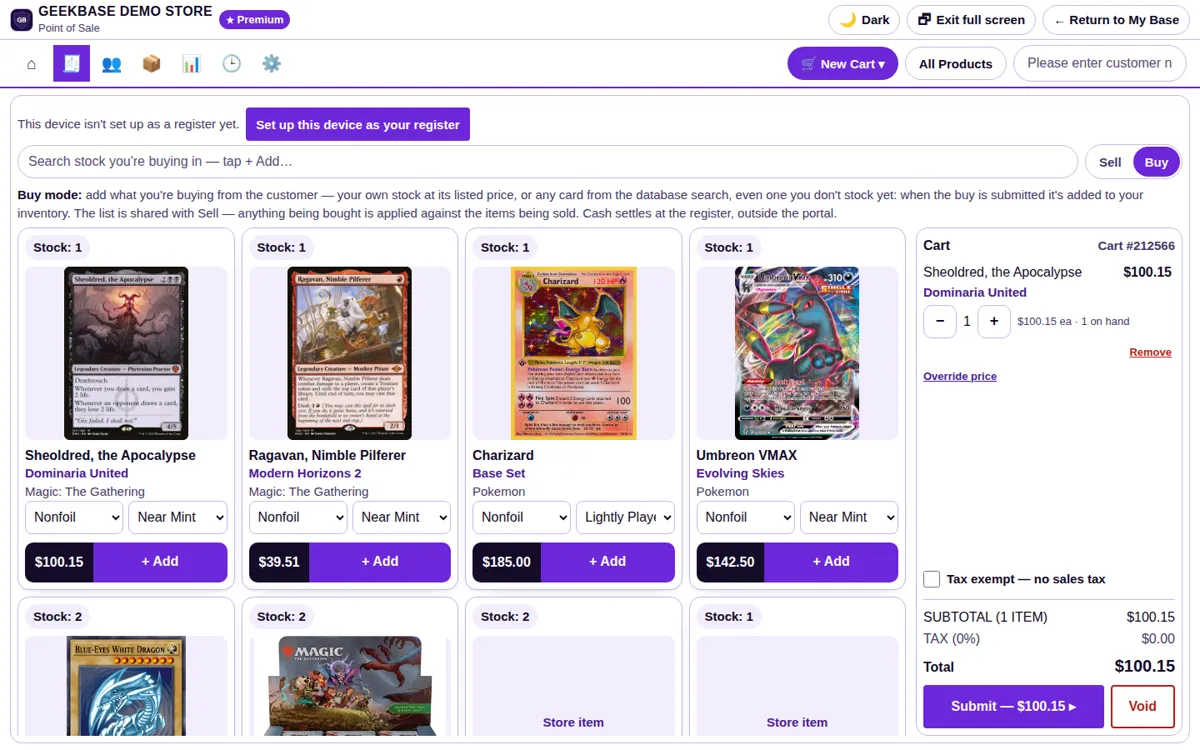
Buy screen
Flip the Sell/Buy toggle and the same search becomes your buy desk. Bought cards go into inventory at the price paid, so cost is tracked from the moment they cross the counter.
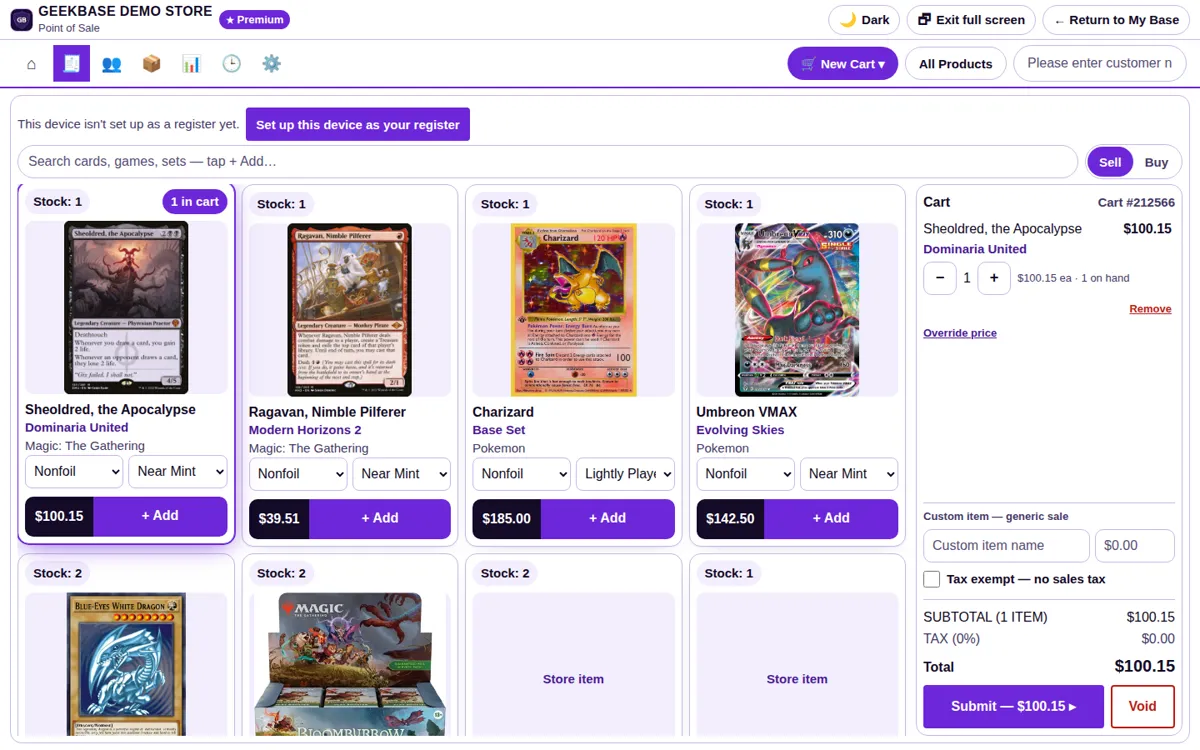
Cart
Sell lines and buy lines sit in one cart and settle together. Store credit applies on the spot, and a custom-item line covers anything not in inventory yet.
Session open & close
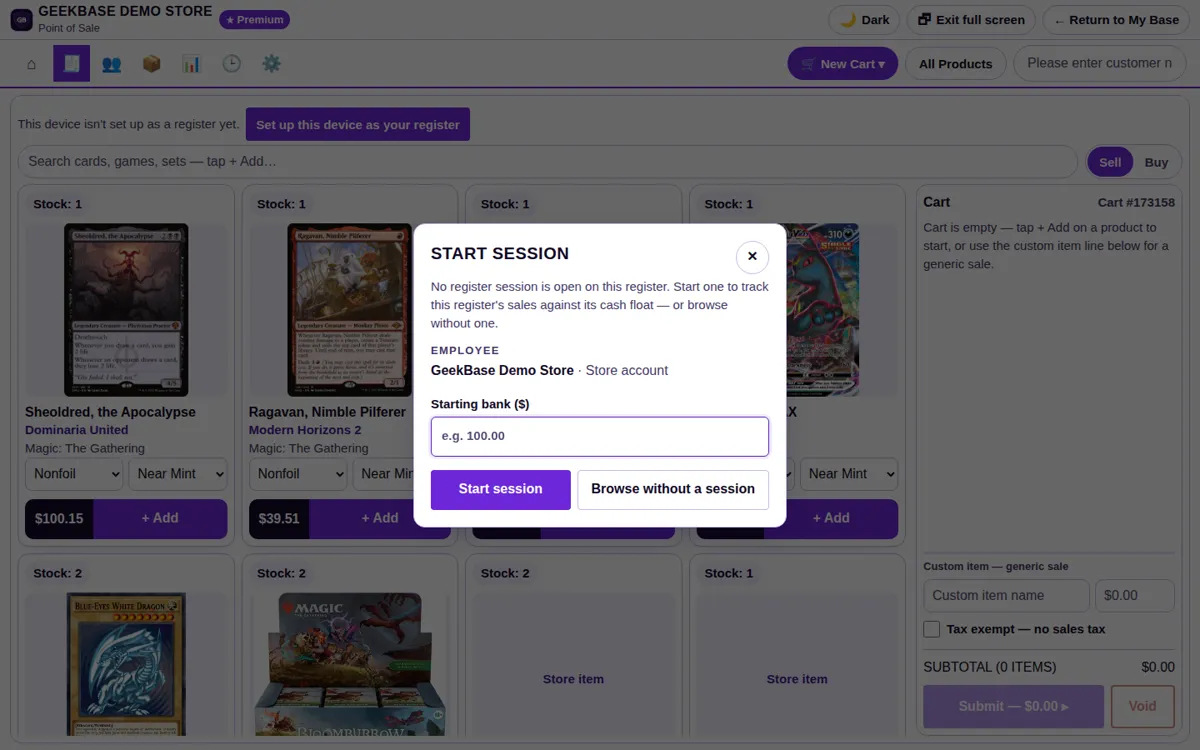
Nothing on the register works until a staffer signs in with their PIN. Sessions open with a starting bank; Secure register locks it back, and closing produces the session report.
Sold tab
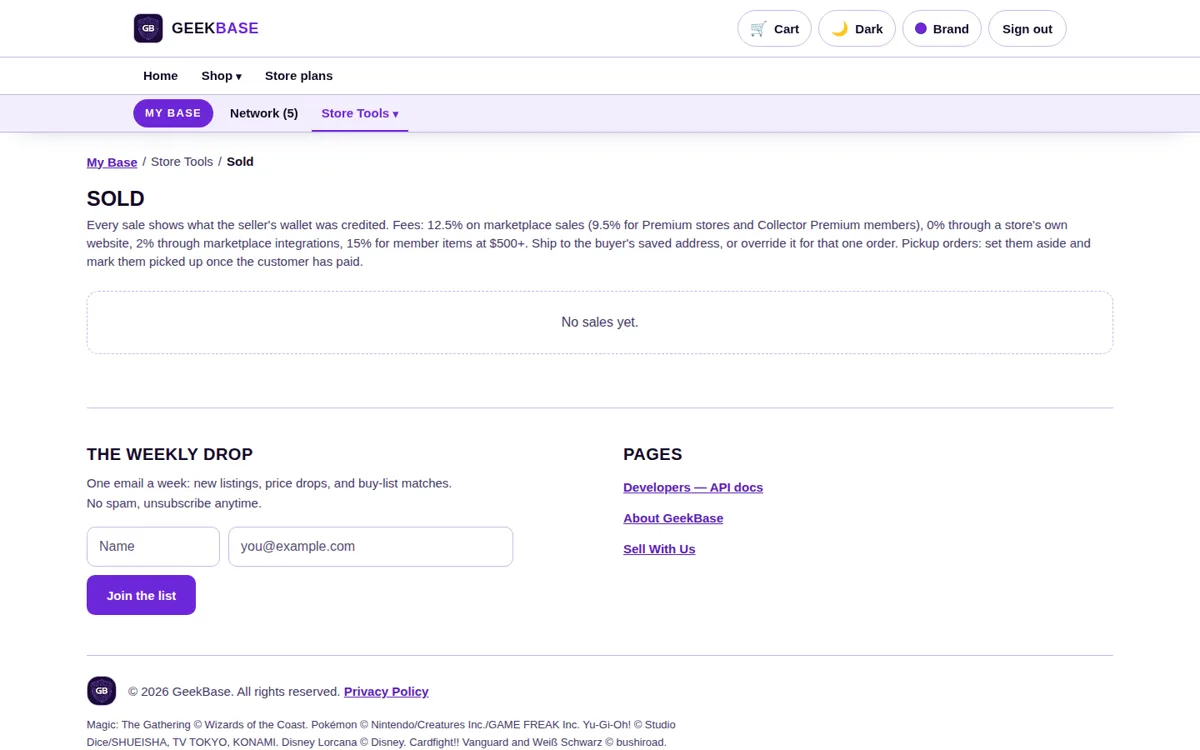
Completed sales live here, including pickup orders waiting to be closed out and shipped orders that need a label — the counter's to-do list after the sale.
Settings
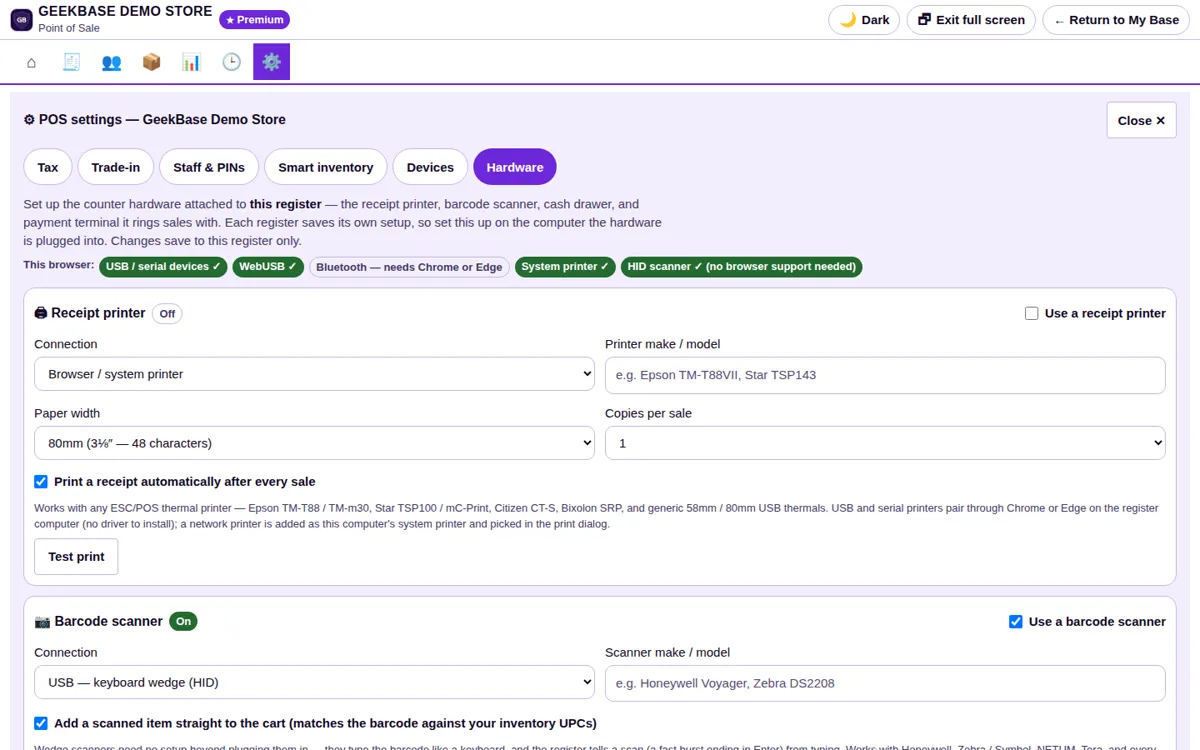
Receipt printer, barcode scanner, USB cash drawer, and payment terminal are set up here, along with which device is your register.
Register questions
Can a trade-in and a purchase be rung up together?
Yes. Sell and Buy share one cart, so a customer's trade-in value settles against their purchase in a single transaction, with store credit applied on the spot.
What happens when a card shows Stock: 0?
Sold-out items still show on the register with a Stock: 0 pill. Ringing one up checks it out as a flagged oversell and relists it at a negative count, so the sale is never blocked at the counter.
Who can void a sale?
Voids clear the cart being rung up and require a manager PIN. They move no stock and print no receipt.
Inventory
One stock count behind the register, your website, and every channel you sell on — with price sync that keeps your single prices current. Stock it once and it is right everywhere.
- Exact printings. Singles are filed by set, card number, finish, and condition, with quantity and price paid tracked on every item. The system never assigns a printing; you pick it.
- Distributor invoice import. Upload an invoice as a CSV, PDF, or photo, then review and edit the lines before anything lands. Restocks merge into what you already carry by UPC or title; new items come in at the invoice's retail price.
- Smart Inventory — margins. Turn Smart Inventory on, set a target margin, and every item's margin is tracked from its recorded cost and price. Items priced below cost or under your target are flagged, each with a suggested price that hits the target — and nothing is ever repriced automatically. Margins by category and overall are in Reports.
- Smart Inventory — activity. It also watches what the shelf is doing: which items are selling, which have slowed down, and which are sitting with no activity at all, with the last 30 days' sales and the shelf value of stock that isn't moving. That is how it grows sales — what sells stays in stock, cards people watch but don't buy get a price look, and cash stops sitting in dead stock and goes back into what customers are actually buying.
- Why it matters. Every sale — register, website, or channel — takes the item off the count the moment it sells, and sold-out items show as Stock: 0 instead of disappearing. What the system says you have is what is actually on the shelf. A card in stock is a card a customer can find and buy; a card that sold is never promised twice. Deliveries received the same day are on the shelf and selling instead of sitting in a box, and the sales record shows what moved — so reorders go to what your customers are actually buying.
- Price sync for singles. If singles are where your store makes its money, a stale price costs you on every sale. Price sync keeps single prices current against the card database covering the top 10 TCGs, with prices updating daily at 6:30 AM Central. Override the price on any individual card, or shut price sync off entirely — your price always wins.
Every page, in detail
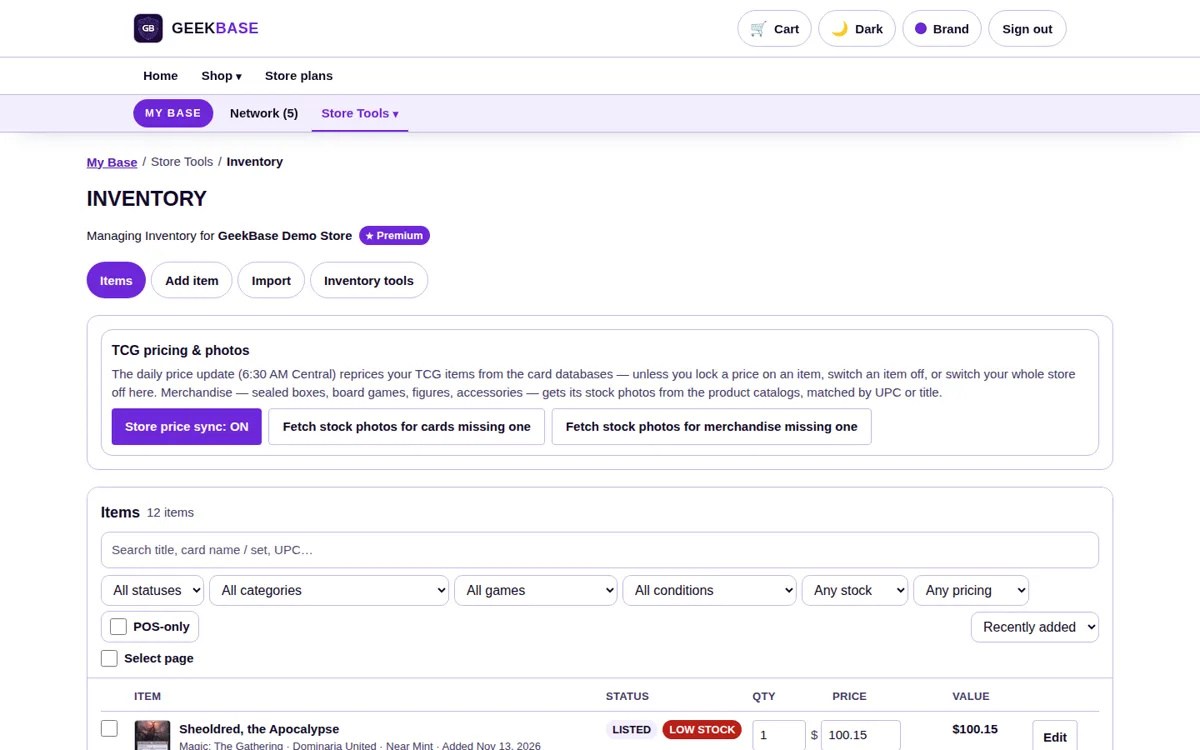
Item list
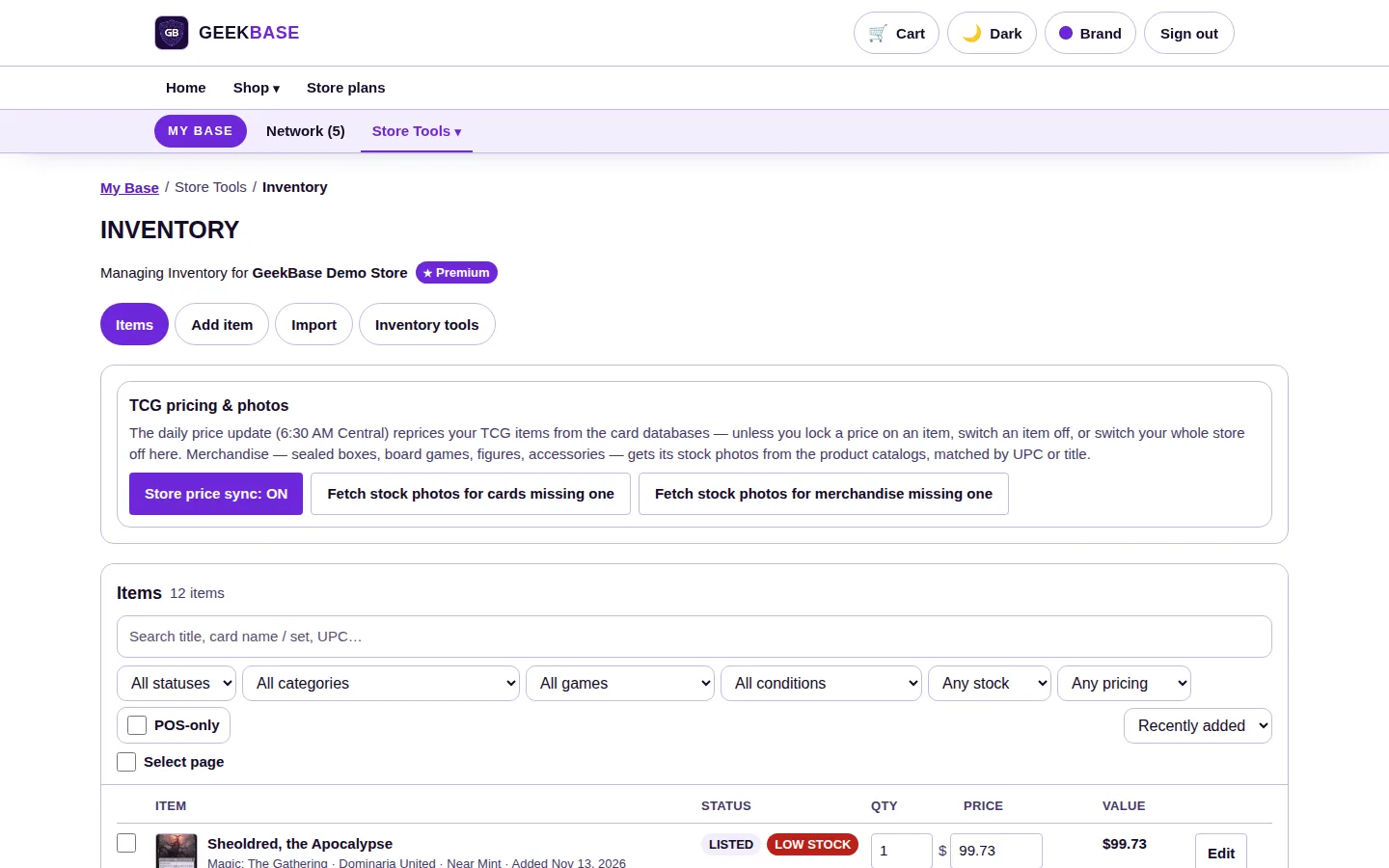
Every product with its status, quantity, and price. Singles sit by exact printing; sealed product, games, and accessories track quantity and UPC alongside them.
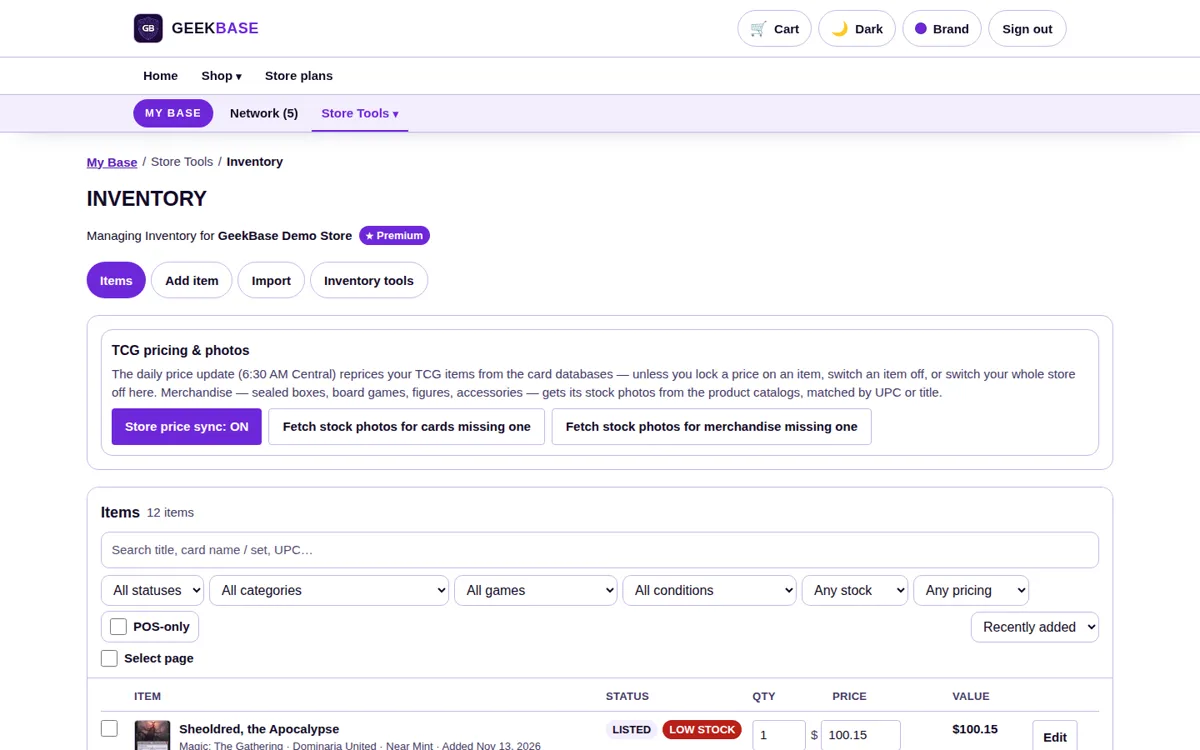
TCG pricing & photos panel
The control room for singles: daily price sync on or off, per-card price overrides, and the actual stock photo for each card — the photo your register, website, and kiosk all show.
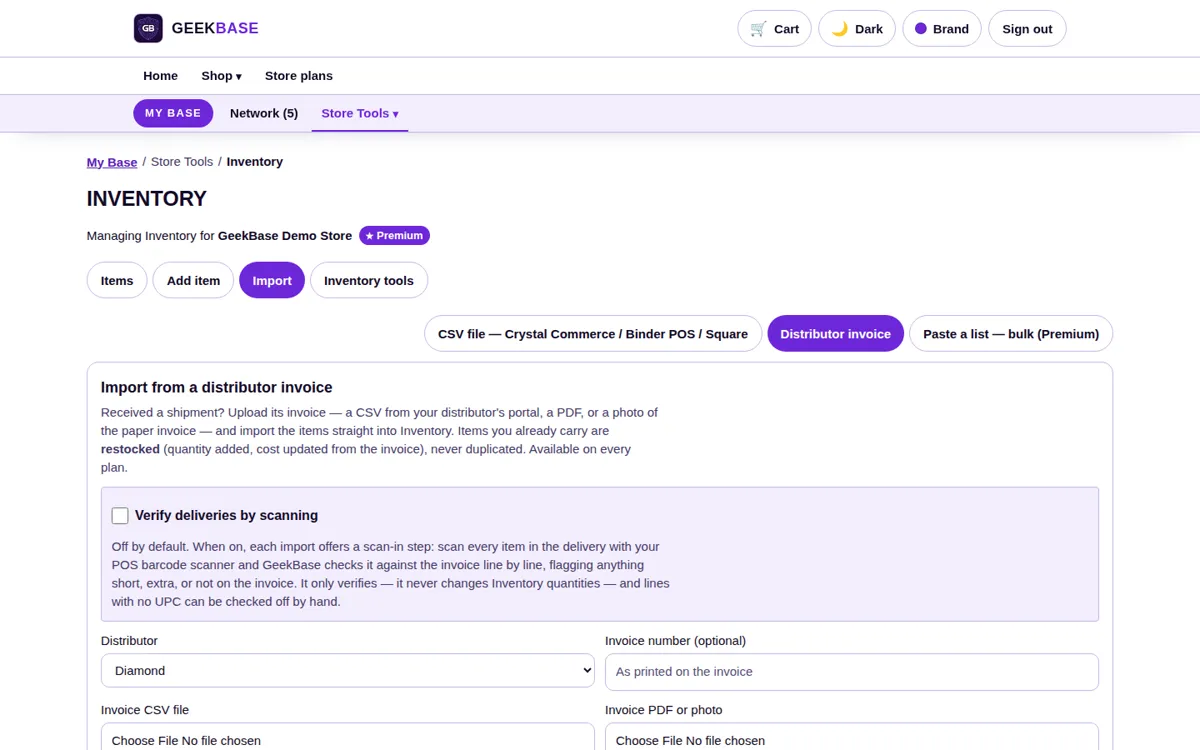
Distributor invoice tab
Drop in a CSV, PDF, or photo of an invoice. Lines come up for review and editing first; restocks merge into existing items and new items enter at the invoice's retail price.
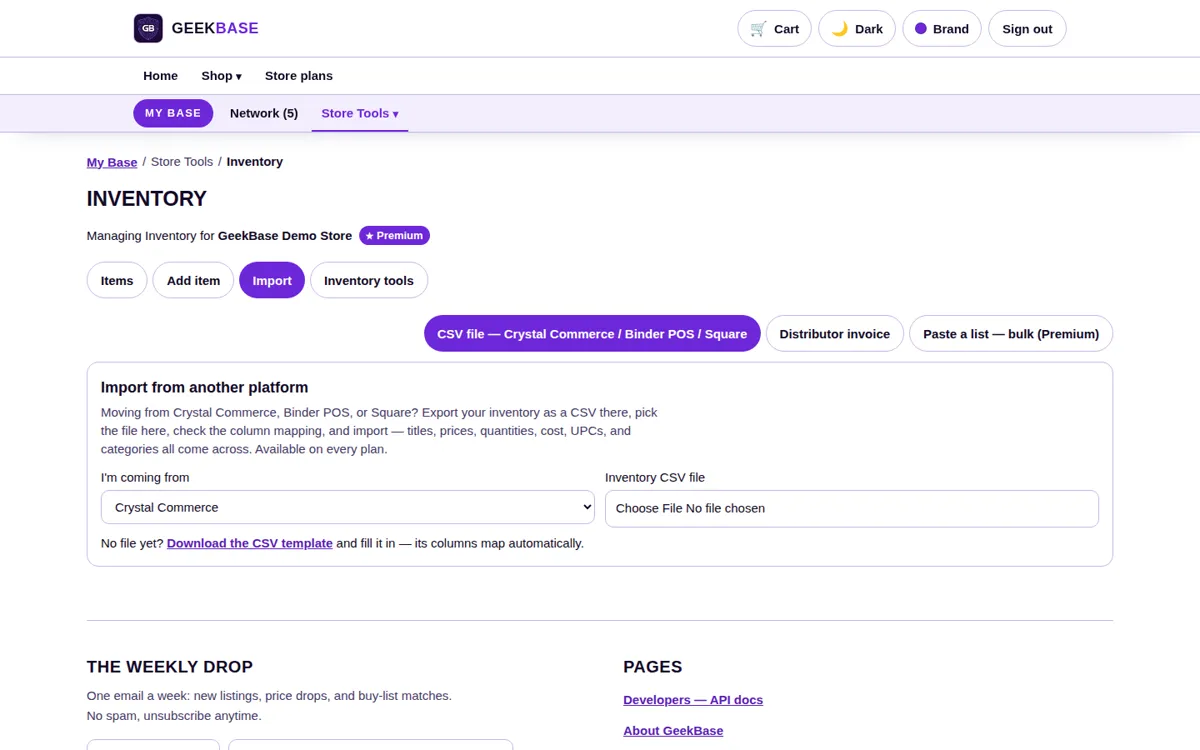
Import screen
Full inventory imports from Crystal Commerce, Binder POS, and Square — the migration path for an established store's existing stock.
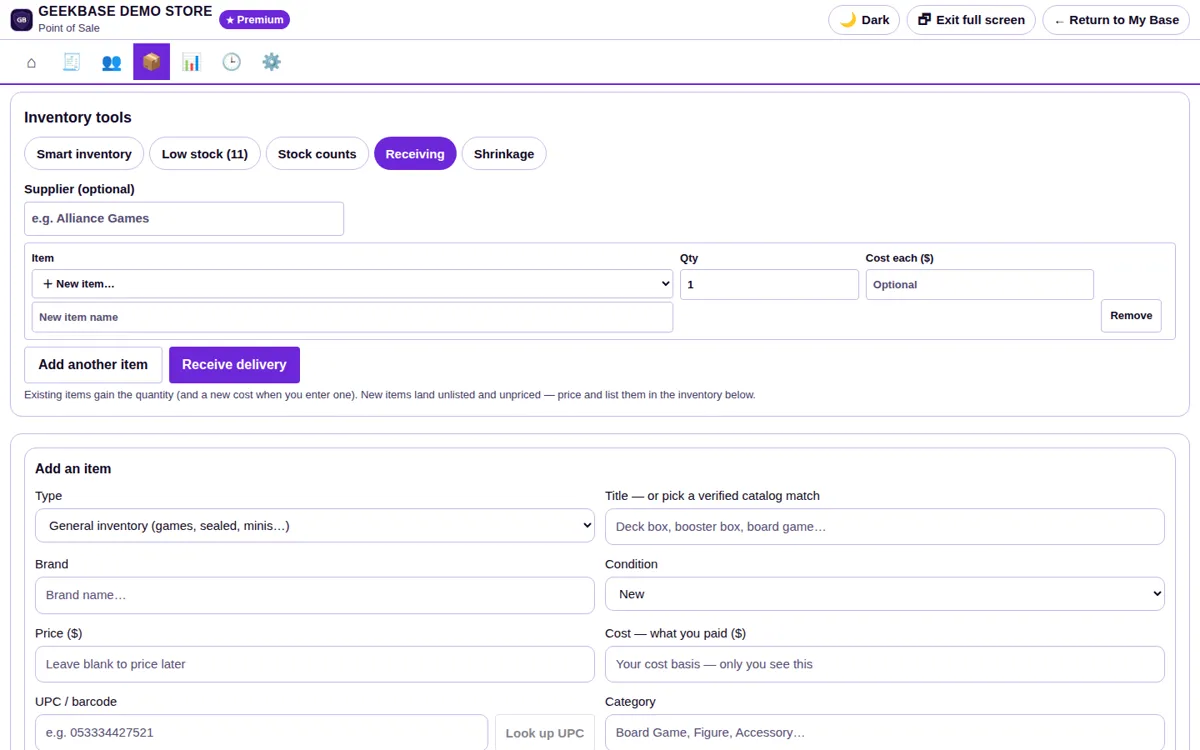
Receiving check
An optional scan-in verification step at intake: scan what arrived and confirm it against what was expected before it joins the count. It verifies only — it never moves stock on its own.
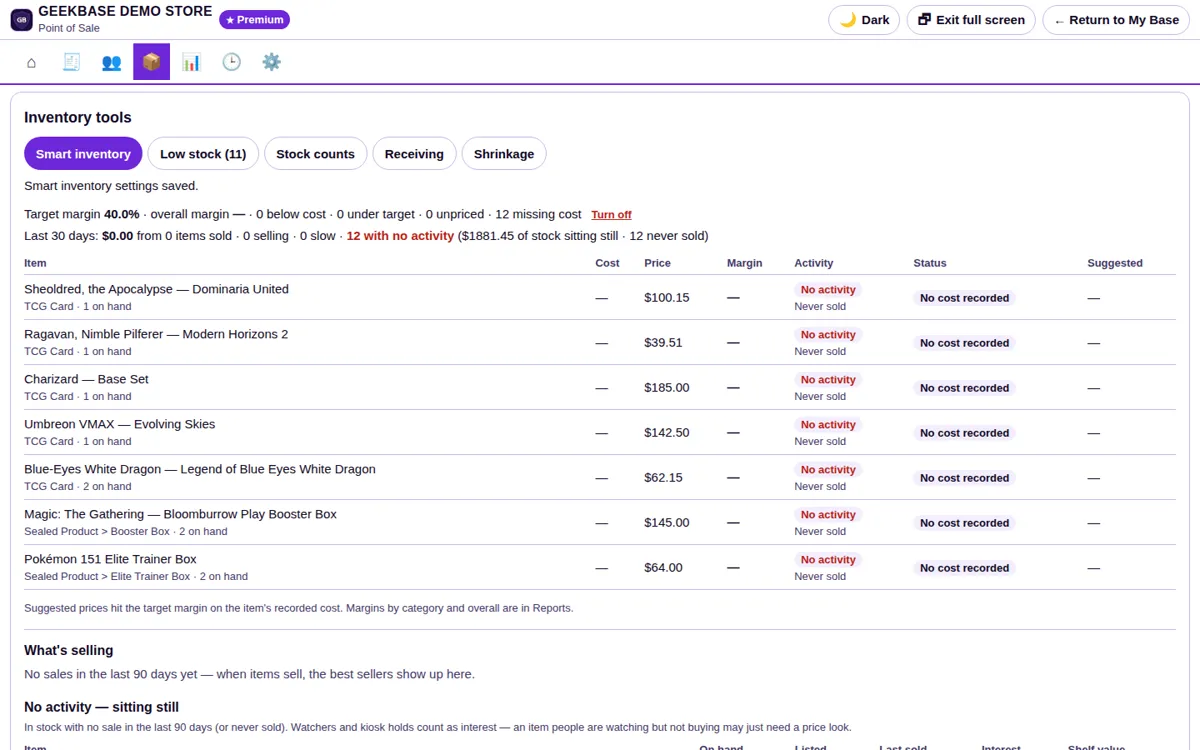
Smart inventory
The Smart Inventory view: every item's cost, price, and margin against your target margin, with below-cost and under-target items flagged and a suggested price for each. Below it, what's selling, what's slow, and what's sitting still — with the shelf value of the stock that isn't moving.
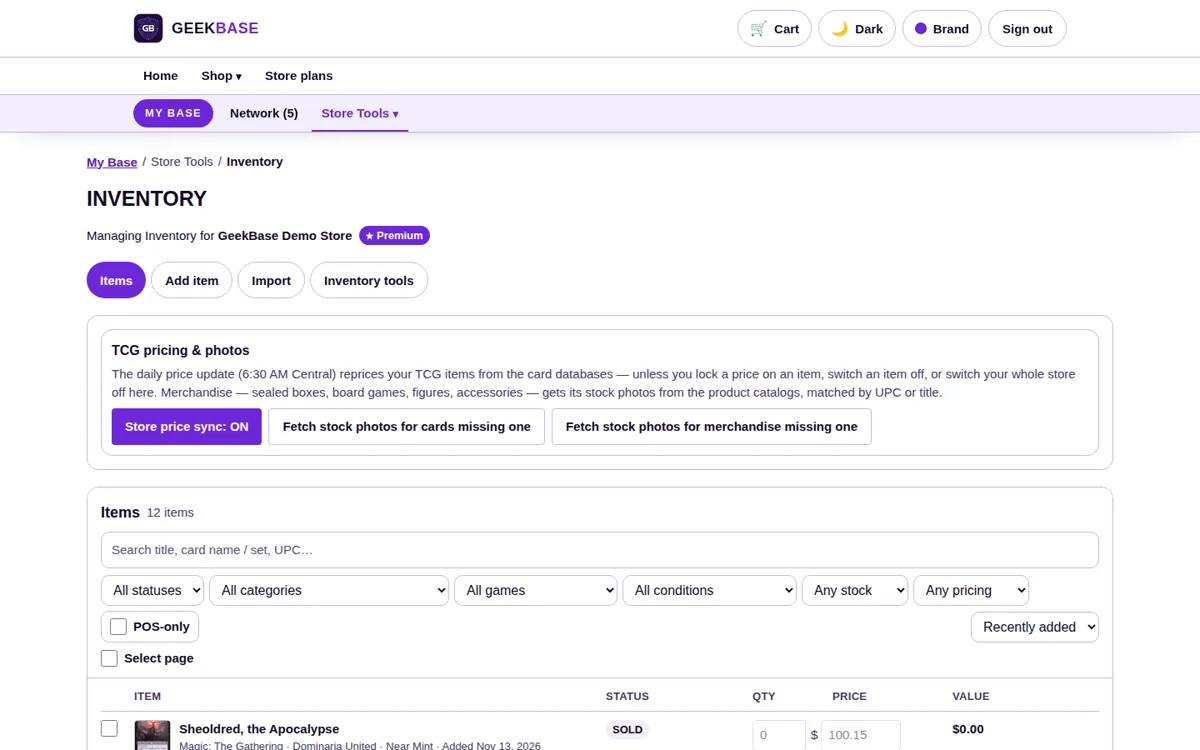
Sold-out handling
Sold-out items stay visible with a Stock: 0 pill instead of vanishing, so staff and customers see the card exists and the count is honest.
Inventory questions
My distributor invoice has no UPC column. Does import still work?
Yes. Invoice lines can be reviewed and edited before they land, and restocks merge by title or card identity as well as UPC. Where a UPC is missing, the system only fills it on a confident match.
Can I stop price sync on just one card?
Yes. Any individual card can be locked to your own price, and price sync can also be shut off store-wide. Your price always wins over the synced price.
When does a website or channel sale leave my count?
The moment it sells. Register, website, and channel sales all draw from the same count, so what the system says you have is what is on the shelf.
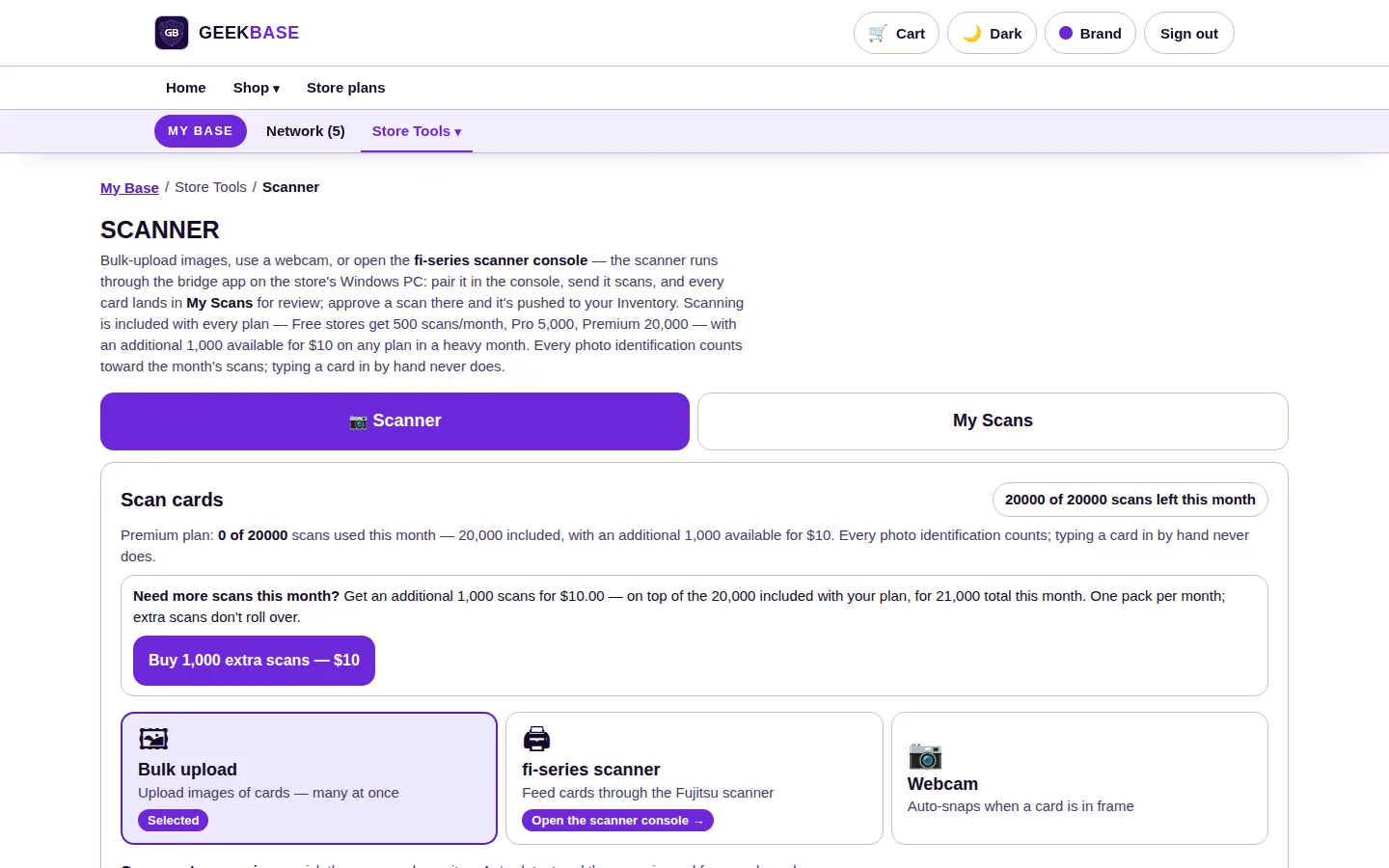
Card Scanner
Photo identification for singles, matched against a card database covering the top 10 TCGs: scan a stack, confirm the printings, and the cards land in inventory priced and ready to sell.
- Three inputs. Bulk photo upload, a webcam that snaps when a card is in frame, or a Fujitsu fi-series scanner through the bridge app on your store's Windows PC.
- Built on the card database. The scanner reads the card name off the photo and checks it against the GeekBase card database — the top 10 TCGs, filed by set, card number, finish, and condition. You confirm the exact printing before anything is priced or listed; the system never assigns one.
- Priced on intake. Confirmed cards come in at the current synced price — single prices update daily at 6:30 AM Central. Override the price on any card, or shut price sync off, and your price stands.
- Review queue. Approved scans push straight into inventory; the rest wait in My Scans for review. Typing a card in by hand never counts against your scan allowance.
Every page, in detail
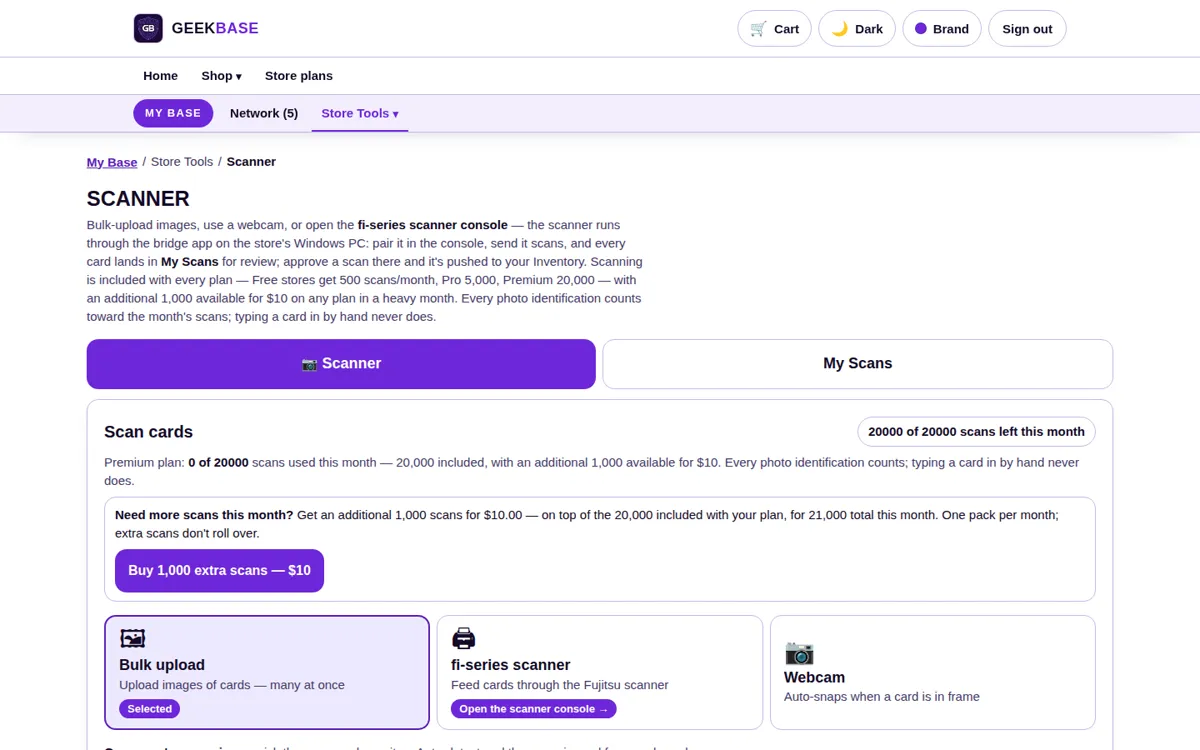
Scan home
The three ways in — bulk photo upload, webcam, and fi-series scanner — plus your plan's monthly scan allowance and how much of it you have used.
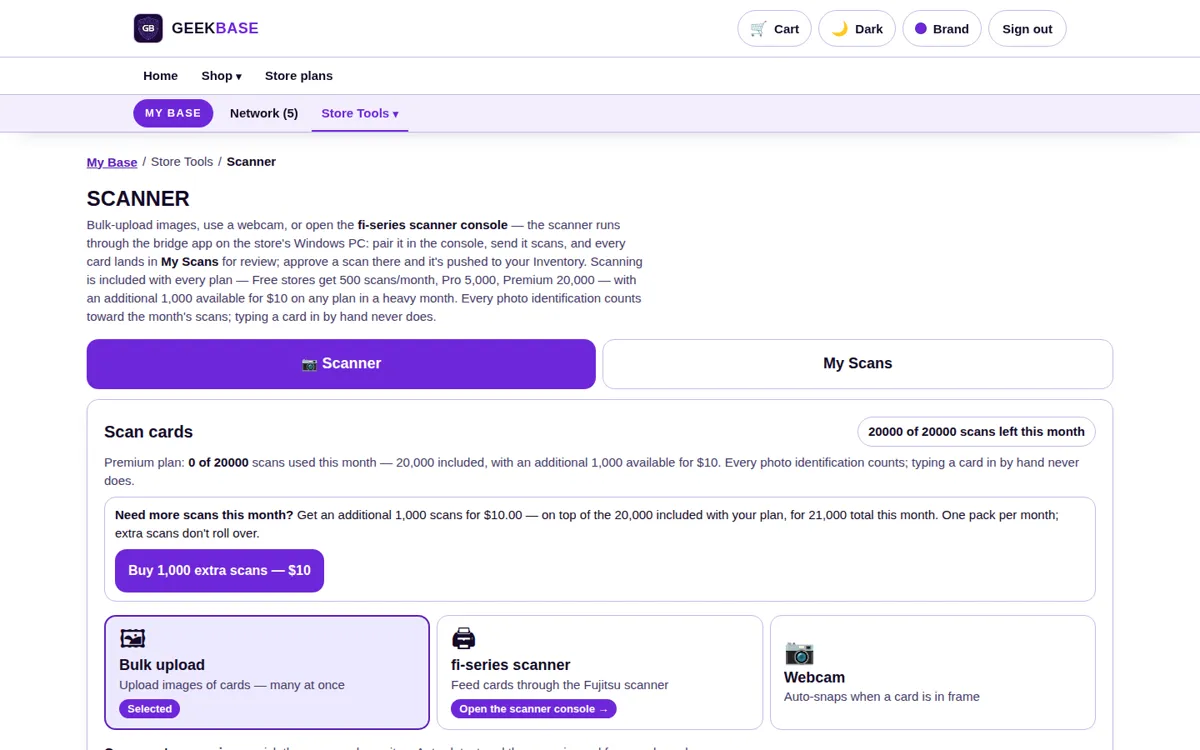
Bulk upload
Photograph a stack of cards and upload the batch. Each photo is read and matched, ready for the review step.
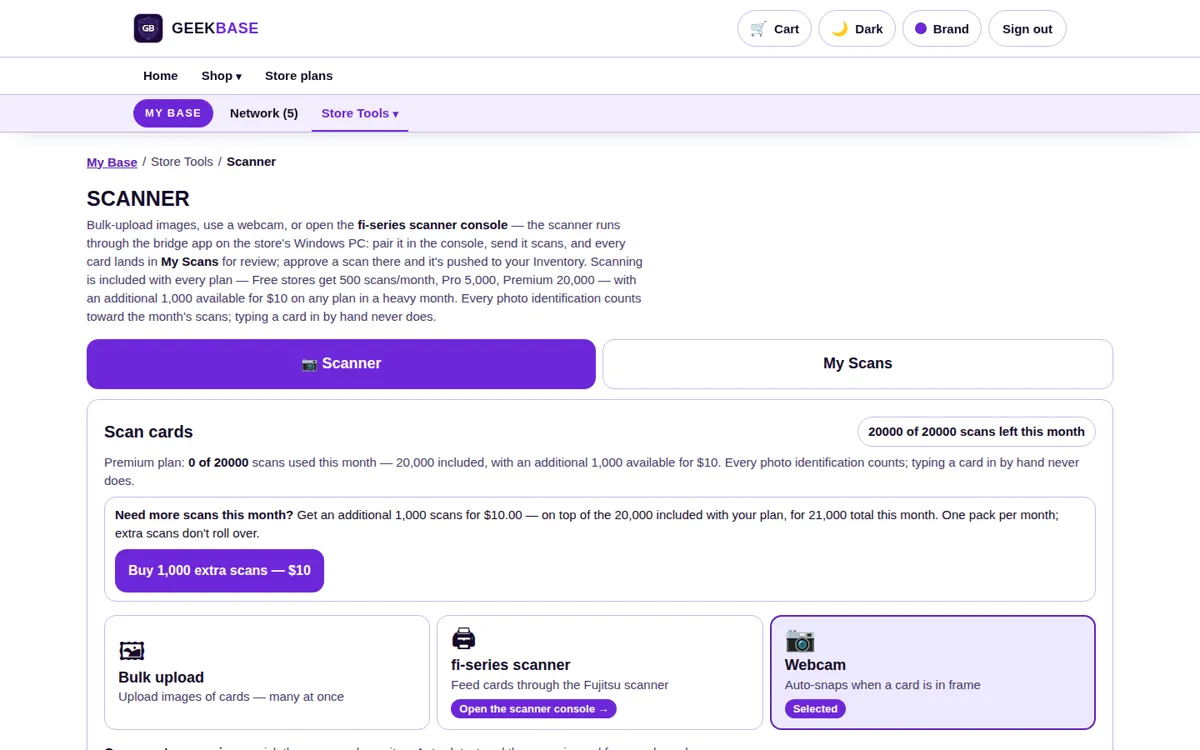
Webcam capture
Hold a card in frame and the webcam snaps it automatically — the fastest path for a buy-in pile at the counter.
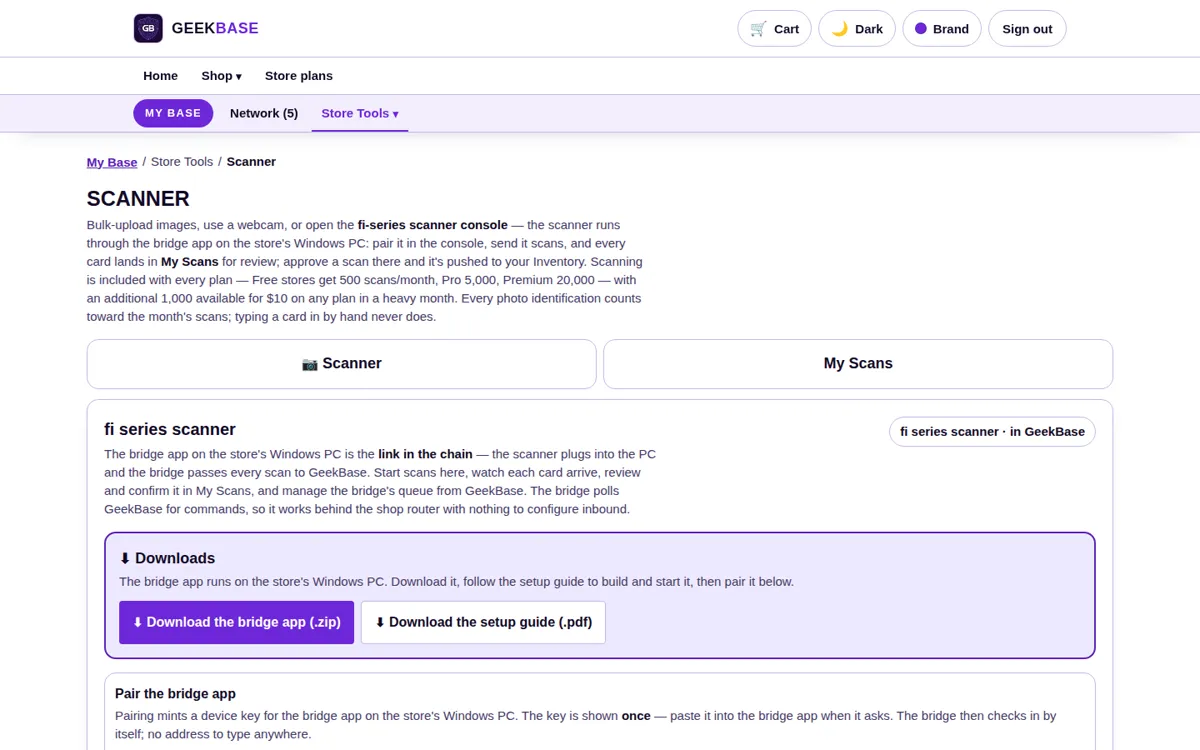
fi-series bridge
High-volume stores connect a Fujitsu fi-series scanner through the bridge app on the store's Windows PC, feeding cards through instead of photographing them one by one.
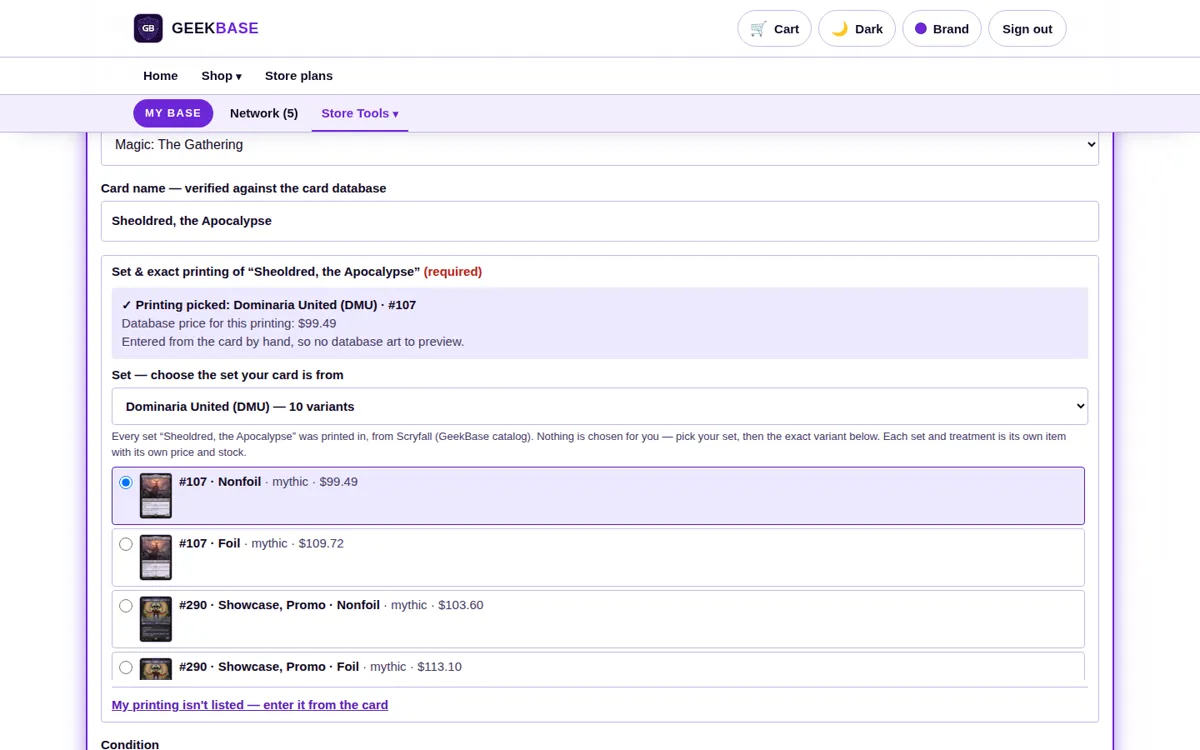
Printing picker
Every scan that could be more than one printing stops here. The set, card number, finish, and condition options are shown with their art, and you pick the exact one — the scanner never picks for you.
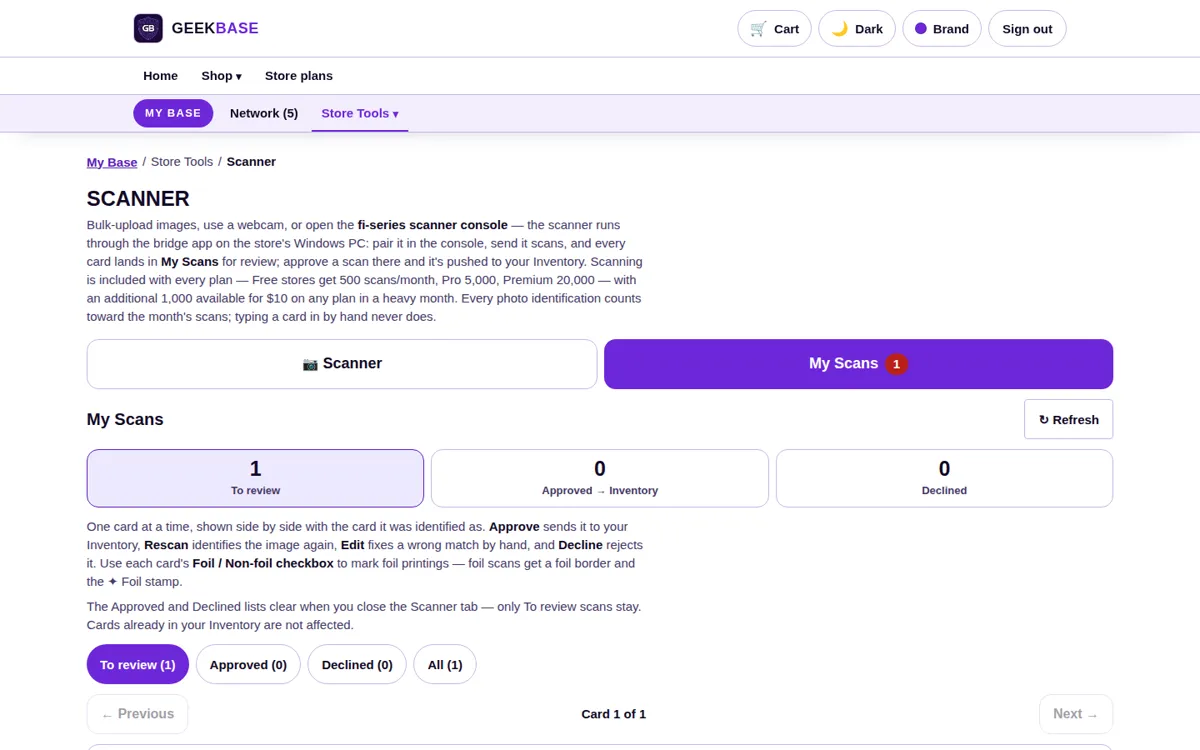
My Scans
The review queue. Approved scans push straight into inventory at the synced price; anything you are unsure of waits here instead of landing in your stock half-checked. Each scan says how it was read.
Scanner questions
How does the scanner identify a card?
It reads the card name off the photo first, then confirms it against the GeekBase card database. Only when a name cannot be confirmed that way does a second identification step step in. The database is checked first; public TCG sources are only a fallback.
What if a card exists in several printings?
You always choose. The scanner shows the printing options and never assigns a set or printing automatically — the same rule applies to all ten supported games, including the ones marked experimental.
Does typing a card in count as a scan?
No. Manual entry never counts against your monthly scan allowance — the allowance is only for photo identification.
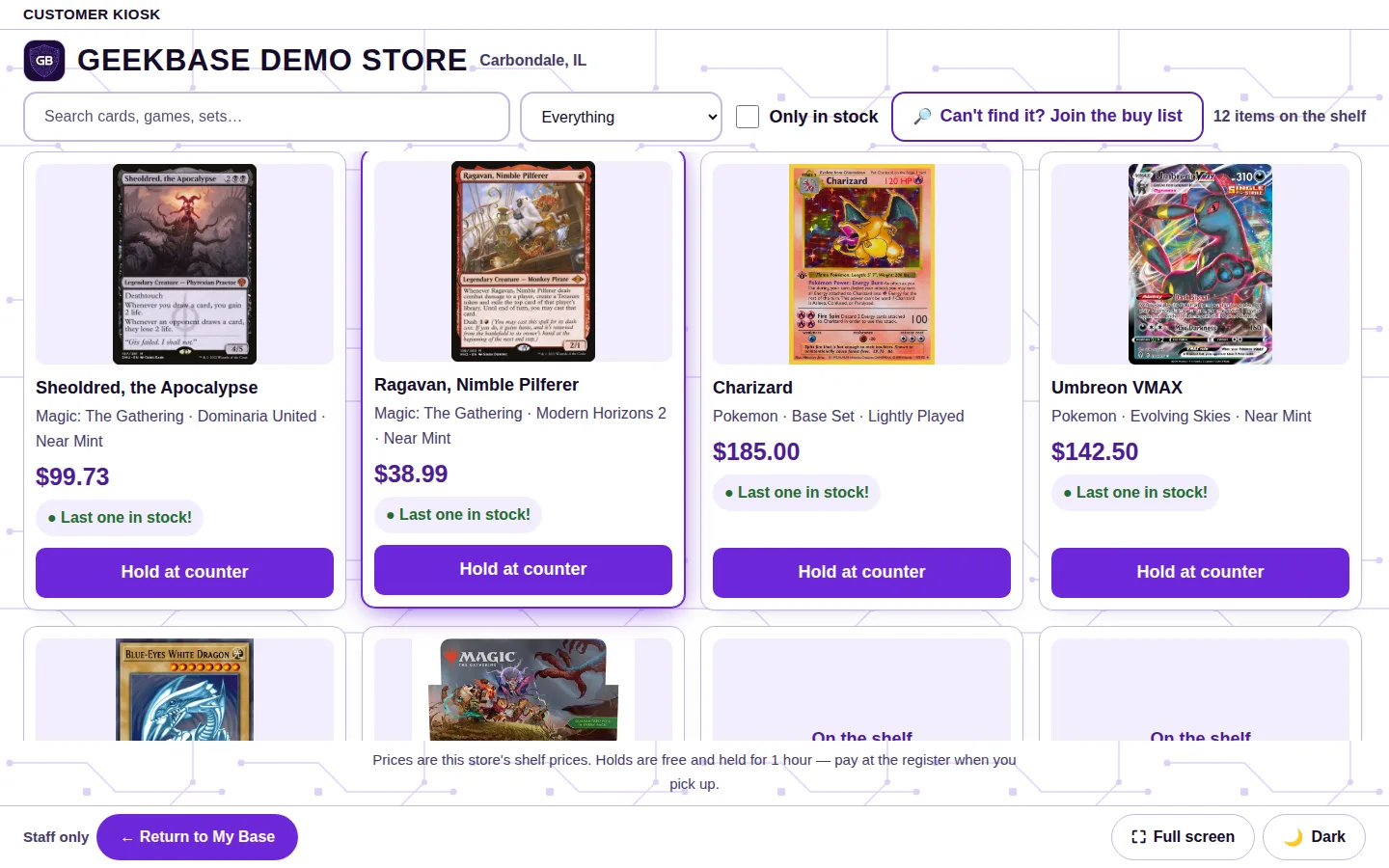
Kiosk
A self-serve screen for your floor: customers check your live stock and prices instead of asking at the counter.
- Your stock only. The kiosk browses your store's inventory at your shelf prices, with real availability.
- 1-hour holds. Holds placed from the kiosk are free and are worked at the register.
- Buy-list hunts. A card you don't have becomes a hunt posted to your store, not a lost sale. On Premium, brand customization makes the kiosk — and the register — match your store's branding. Staff run the kiosk from its setup page; on the kiosk screen itself, the staff exit sits in the bar at the bottom.
Every page, in detail
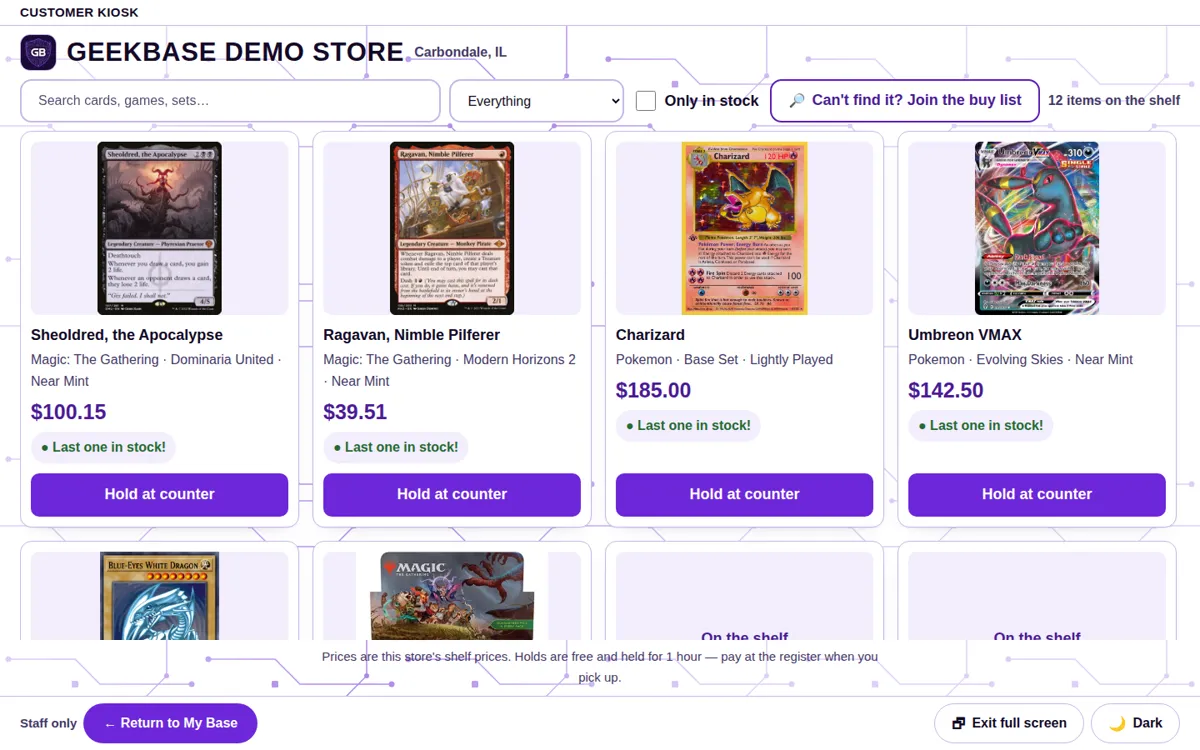
Browse screen
Your live inventory as customers see it: card tiles with real art, your shelf prices, and stock notes such as last one in stock.
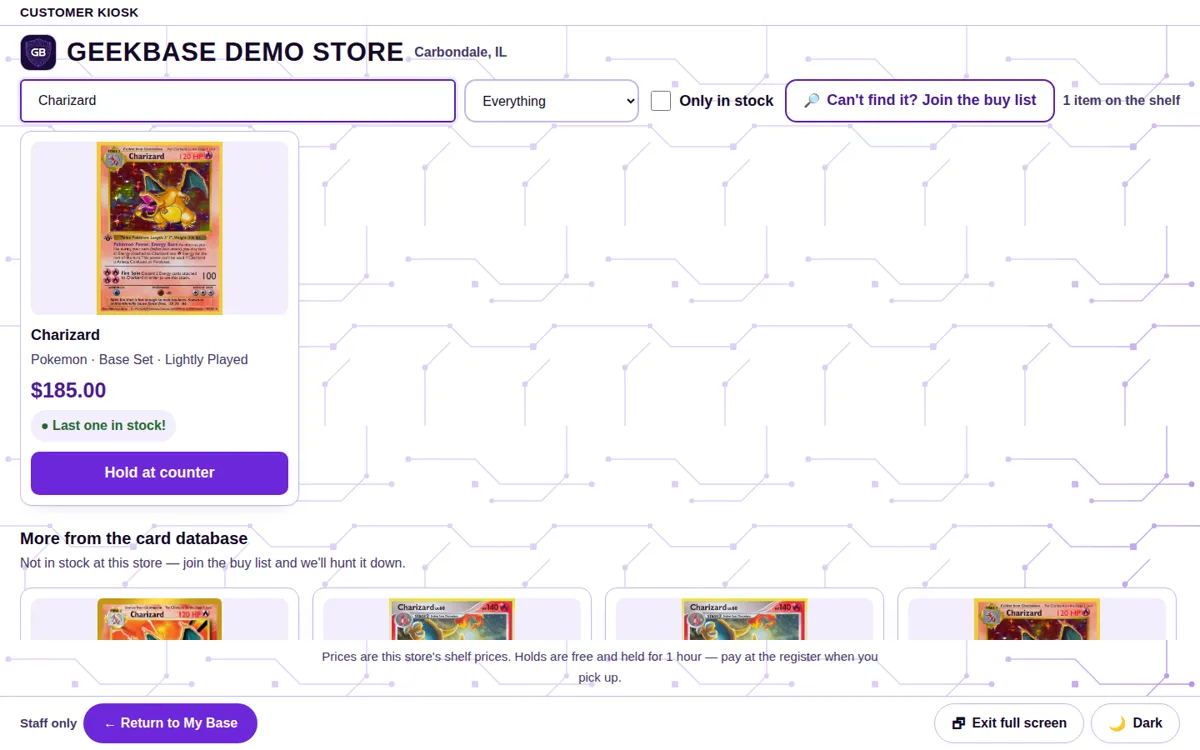
Search
Customers search by card name and set and get your availability and price immediately — no trip to the counter to ask.
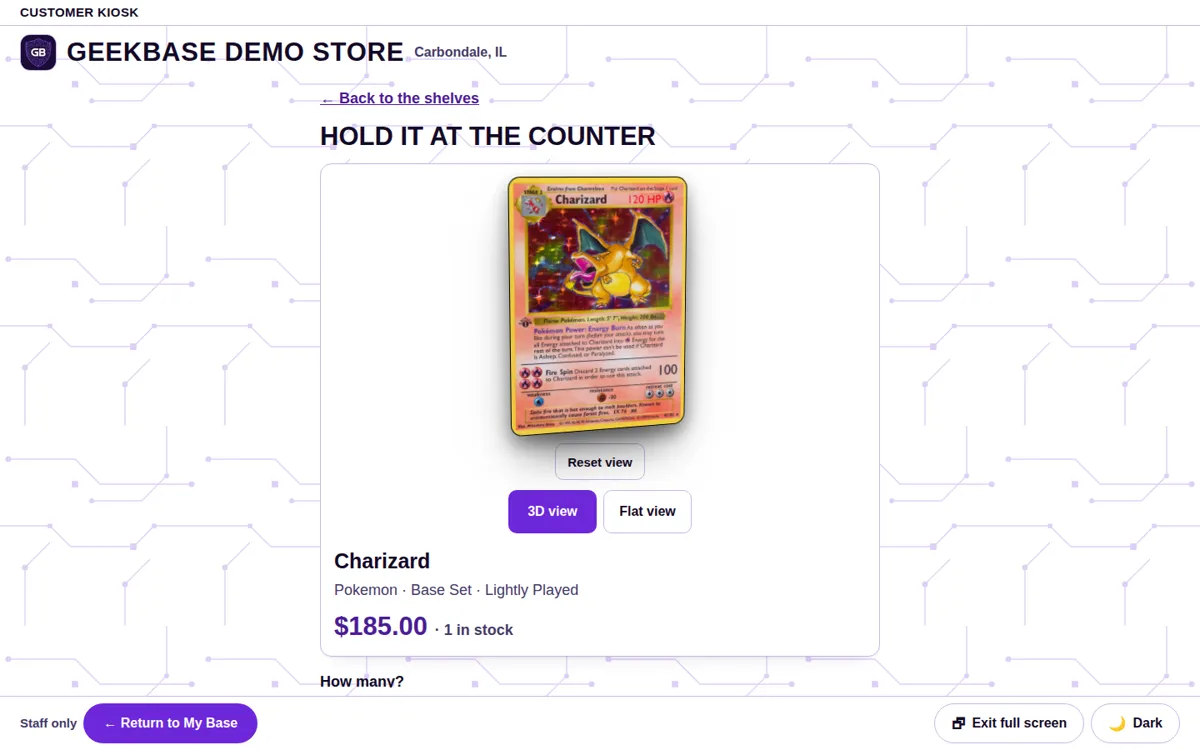
Hold at counter
One tap places a free 1-hour hold. The hold is worked at the register, where staff pull the card and complete the sale.
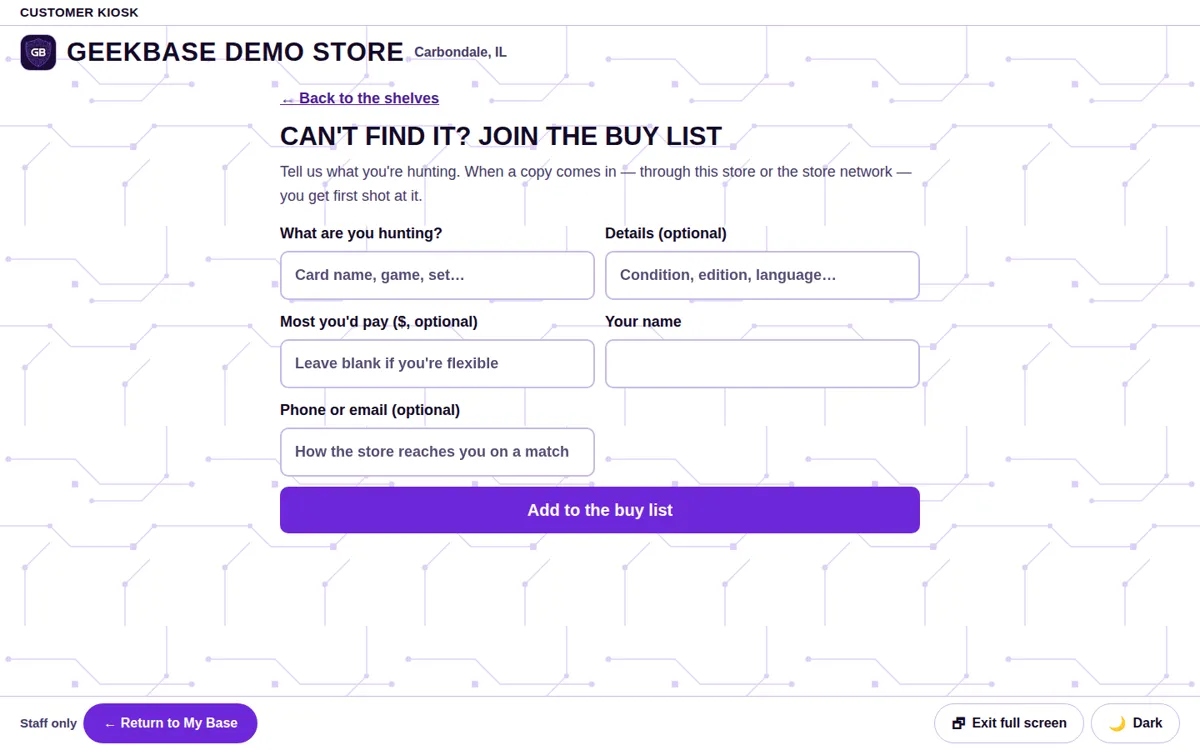
Buy-list hunt
When a searched card is not in stock, the customer can post a hunt to your store instead — a recorded want your buy desk can fill later.
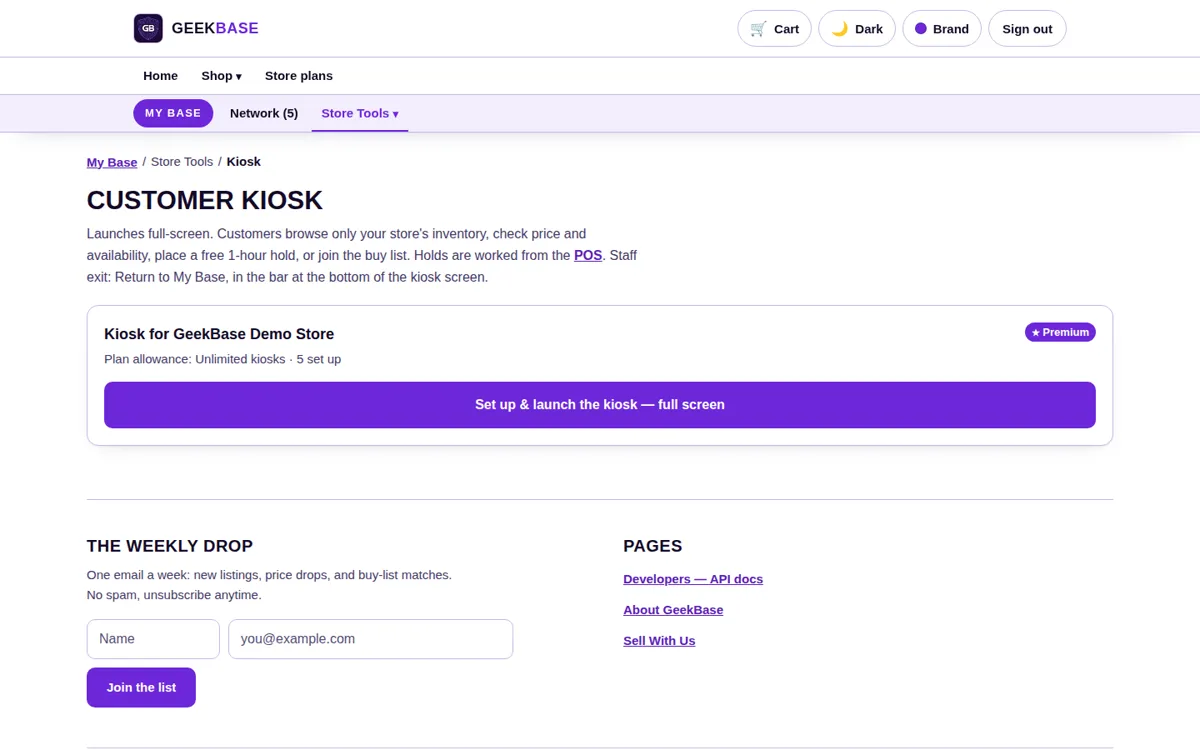
Setup & staff exit
Kiosks are launched and managed from the setup page: your plan's kiosk allowance, your devices, and the launch button live there. On the kiosk screen itself, the staff exit — Return to My Base — sits in the bar at the bottom of the screen.
Kiosk questions
Does the kiosk show other stores' stock?
No. The kiosk browses your store's inventory only, at your prices, with your real availability.
How long does a kiosk hold last?
One hour, and holds are free. Staff work the hold at the register like any counter request.
Can the kiosk look like my store?
Your store brand color applies on every plan. On Premium, full brand customization makes the kiosk — and the register — match your store's branding.
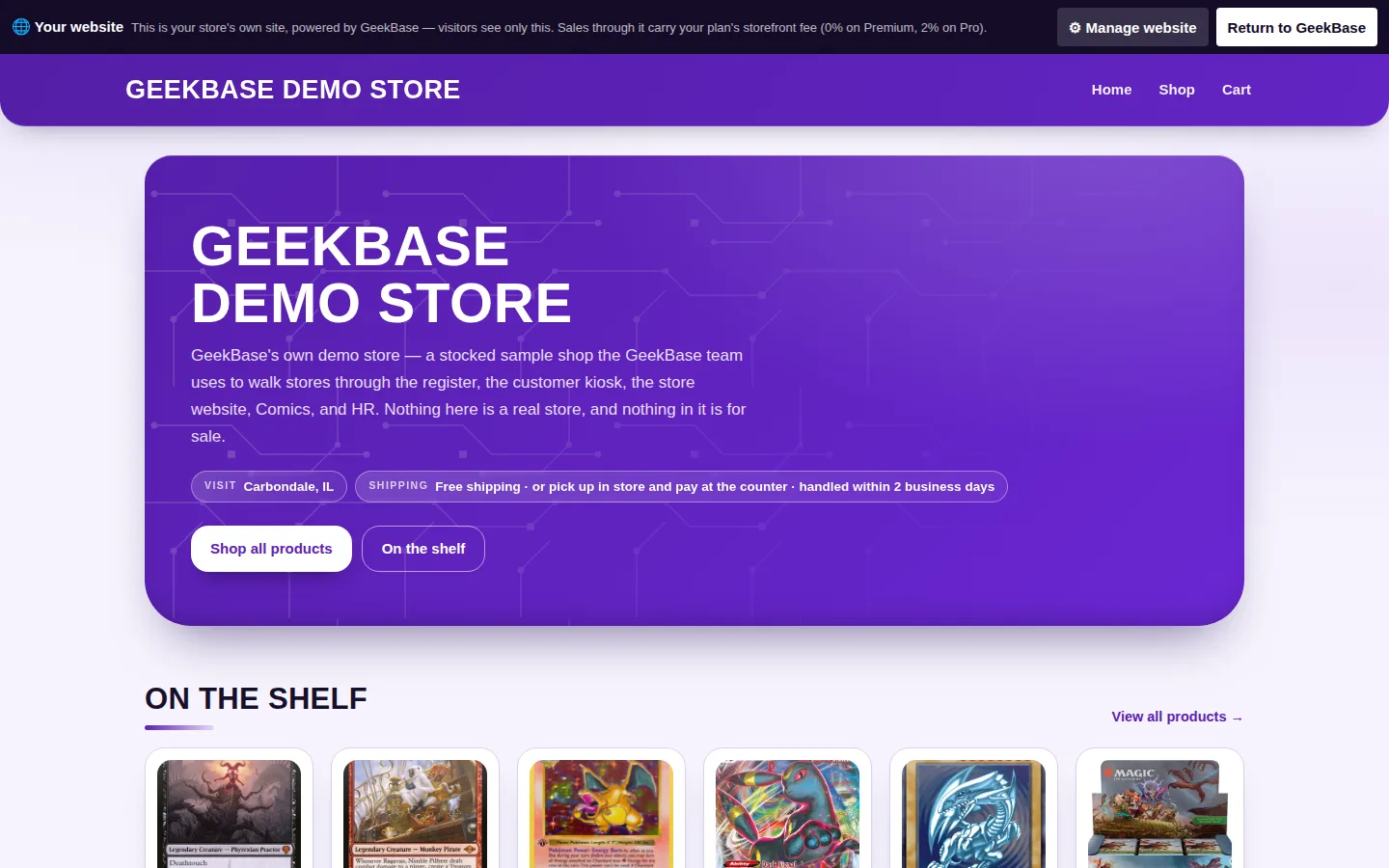
Store Website
Your store's website on your own domain, in your brand color, selling the same inventory as the register.
- Six themes. Pages, colors, and templates edited visually, with the preview updating immediately. Your brand color, set once in Store Settings, carries across the site, the POS, and the kiosk.
- Shared stock. A card sold at the register leaves the website the moment it rings up.
- Pickup orders. “Pick up in store — pay in store” orders carry no shipping, no card charge, and no fee.
Every page, in detail
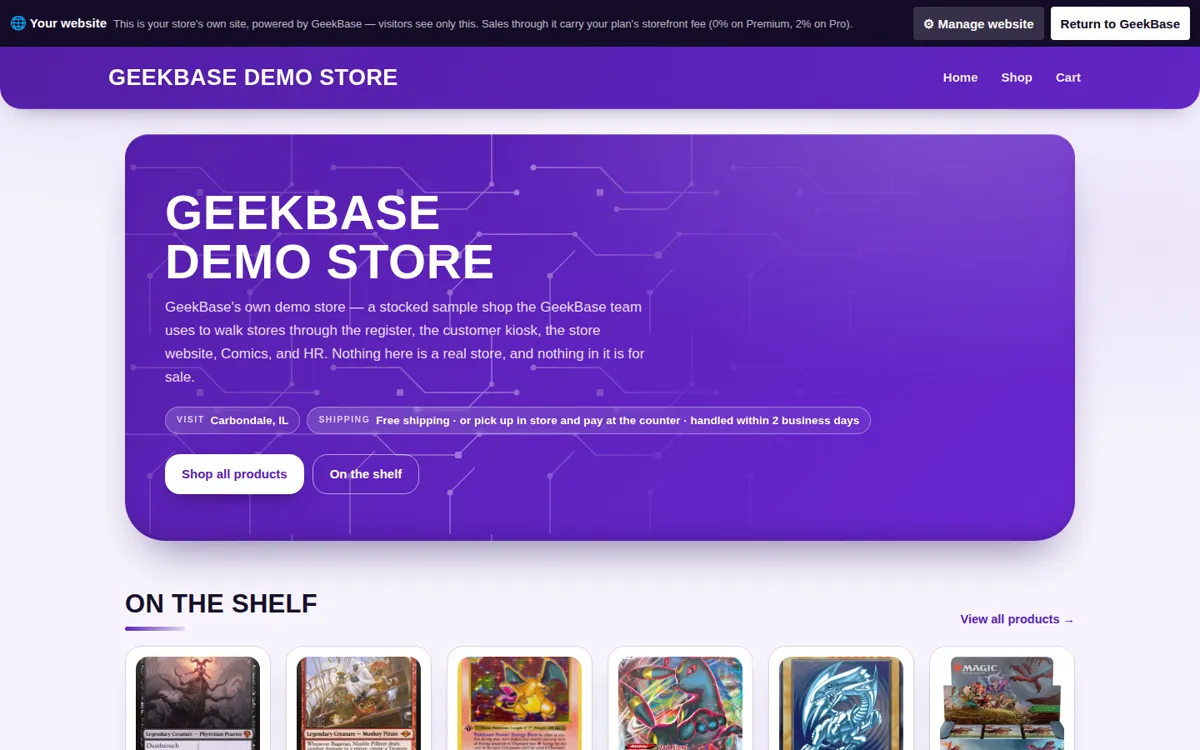
Storefront home
Your branded front page: store name, details, and hours up top, with your shelf of products below — the same stock the register sells.
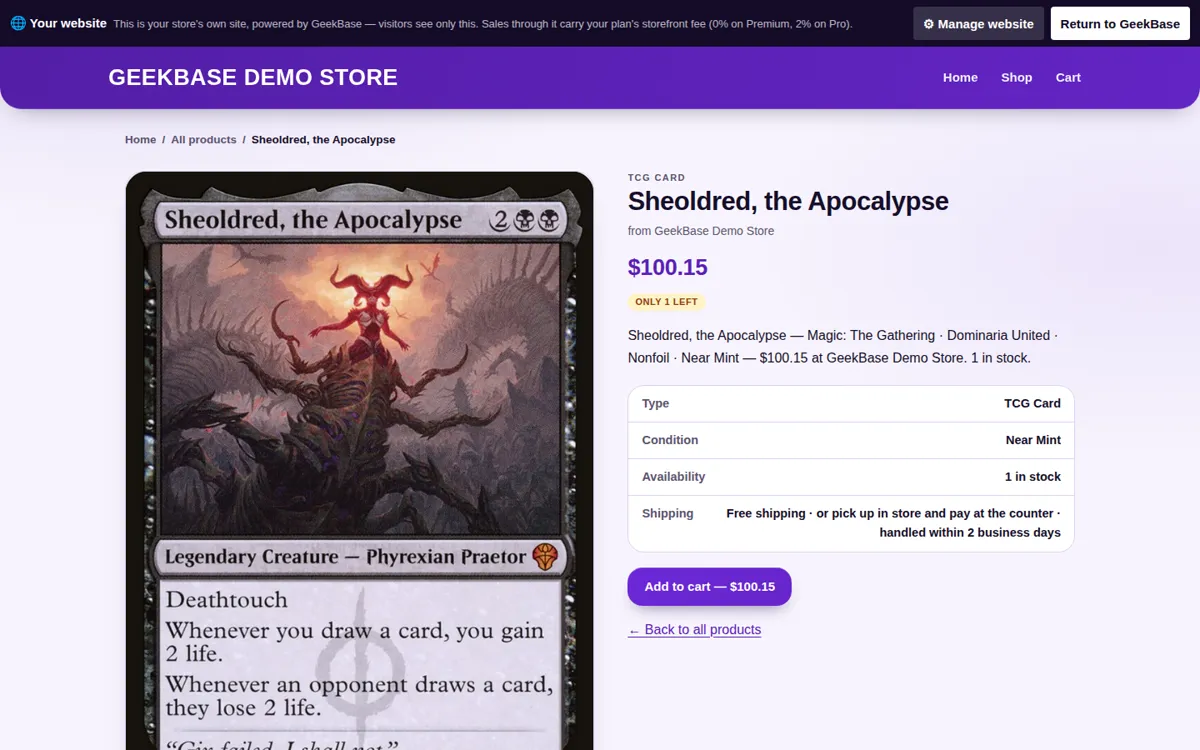
Product pages
Each item with its real photo, price, and live stock. A card that sells at the counter leaves the website the moment it rings up.
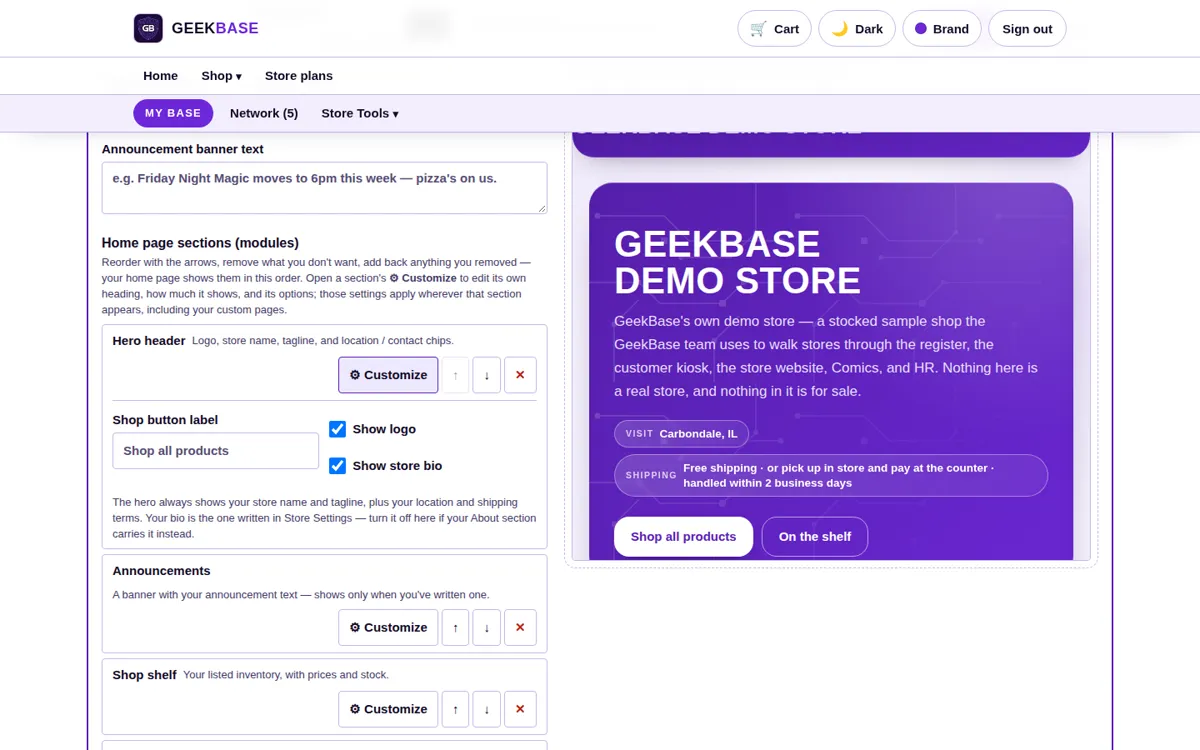
Theme editor
Six built-in themes — Classic, Arcade, Manuscript, Quest, Meeple, and Binder — with pages, colors, and templates edited visually and the preview updating as you work.
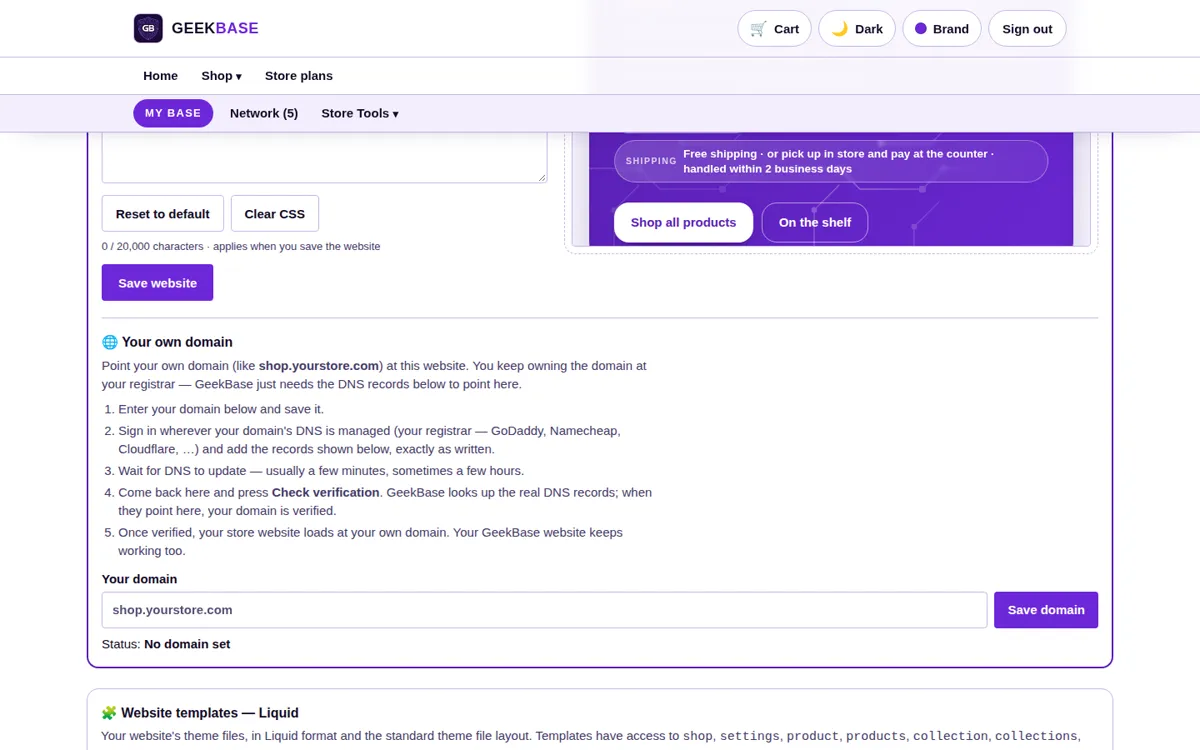
Domain settings
Connect your own domain and verify it here. Premium stores run on their own domain from launch, not a subdomain.
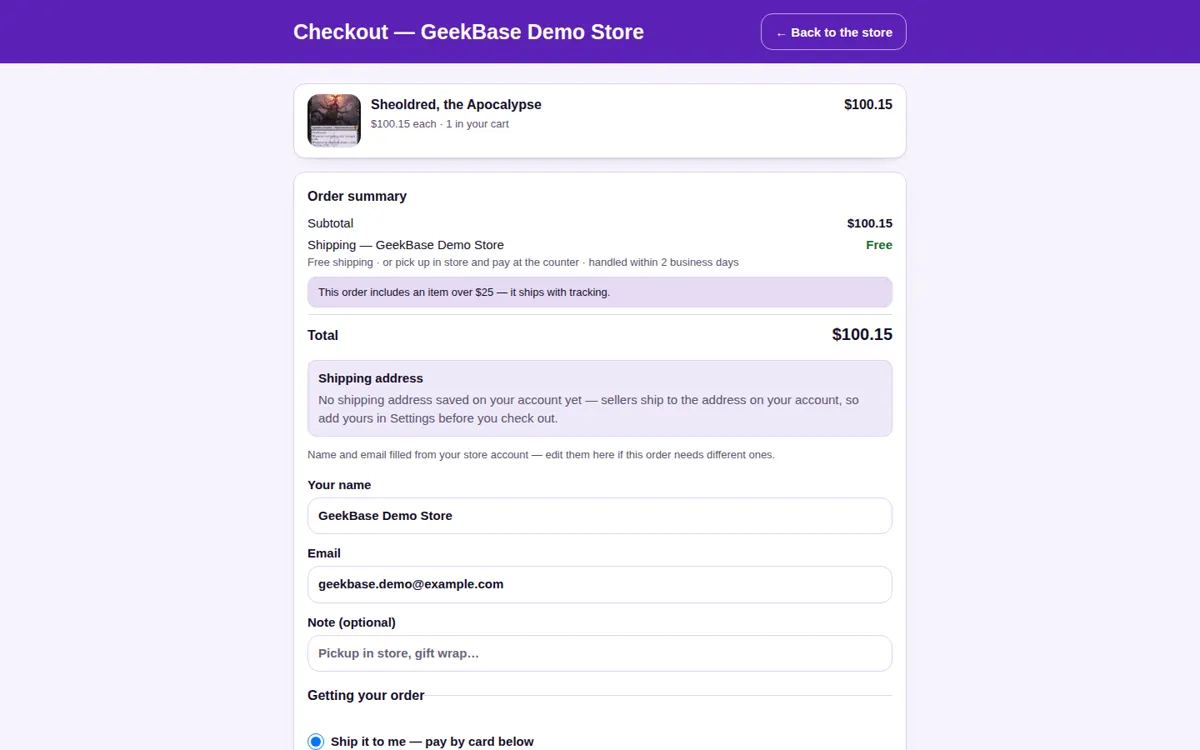
Checkout
Shipped orders pay by card through the platform. Pickup orders skip shipping and payment entirely — the customer pays at your counter.
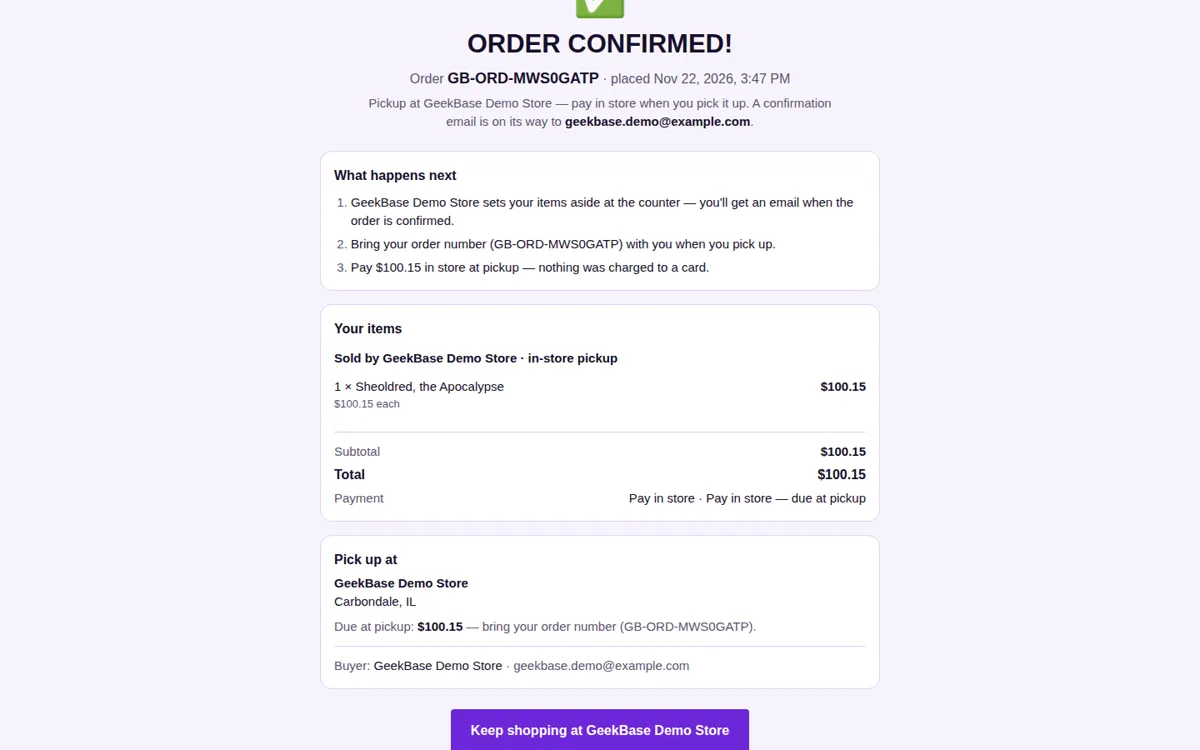
Order confirmation
After payment, the buyer lands on a confirmation page with the order number, items, totals, shipping address and method, and what happens next.
Website questions
Do I need a separate inventory for the website?
No. The website sells the same inventory as the register. Stock it once and a sale in either place updates both.
How do pickup orders work?
“Pick up in store — pay in store” is on by default and the store can turn it off. A pickup order books with no shipping, no card charge, and no fee; stock is decremented, and staff close it out on the Sold tab with “Mark picked up & paid in store.”
What does the website cost me per sale?
Sales on your own storefront are 0% on Premium and 2% on Pro. Pickup orders are fee-free.
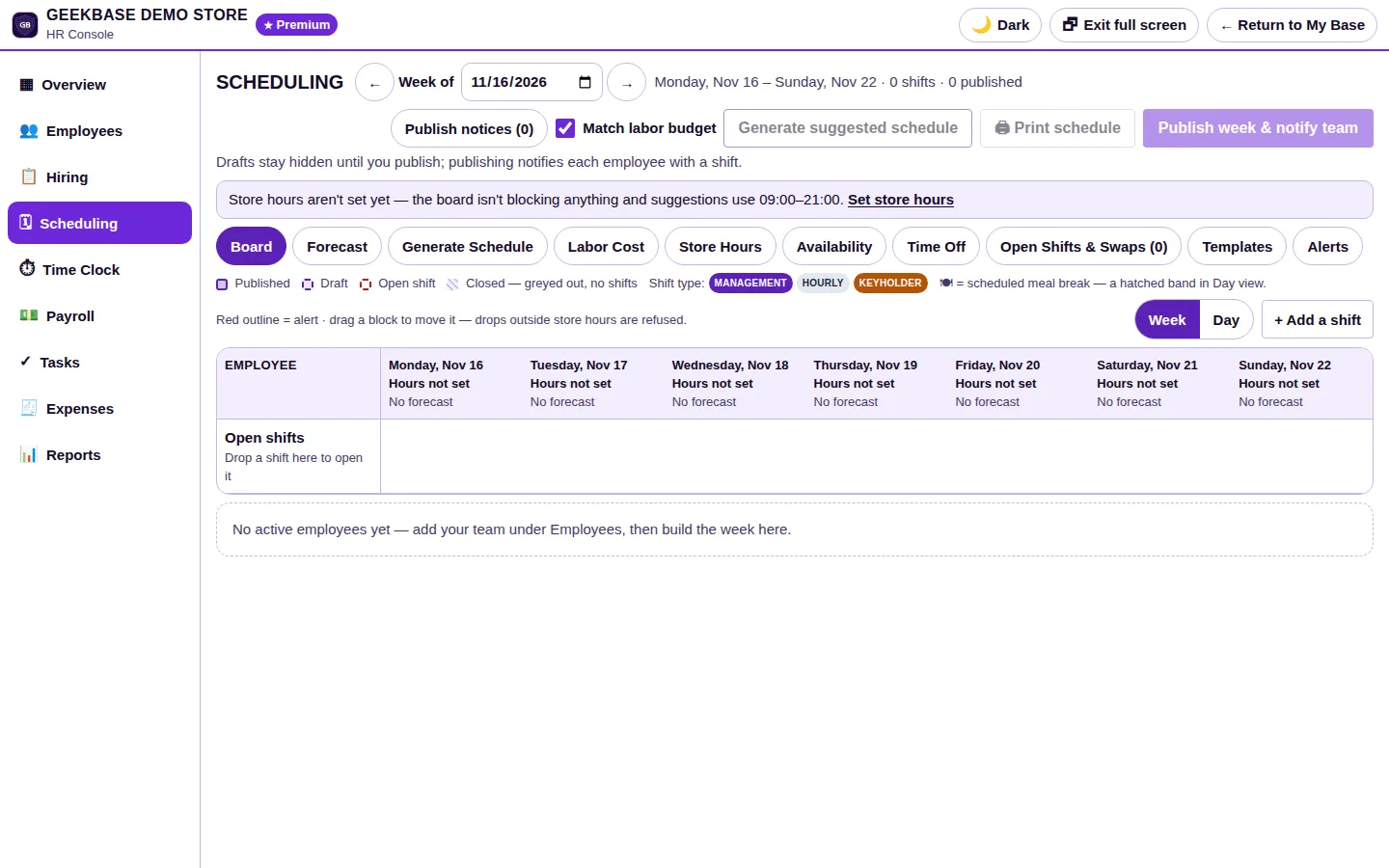
HR Console
Employee records, scheduling, time tracking, and payroll calculation in the same login as the register — no separate HR system to keep in step.
- Scheduling. Build the week as drafts, generate a suggested schedule against your labor budget, then publish — staff with a shift are notified. Time-off requests and open shifts are handled on the same board.
- PIN clock in and out. Staff clock in and out with the same PIN they use at the register — no separate time clock, and no second login to forget.
- Time tracking. Clock records, meal breaks, and hours worked are tracked per employee and roll straight into the pay period, so the hours payroll sees are the hours that were actually worked.
- Payroll calculation and paystubs. The console calculates pay from the tracked hours and produces paystubs and payroll records. It calculates and records pay only — it never moves money, files taxes, or makes direct deposits; your payroll provider does that part.
Every page, in detail
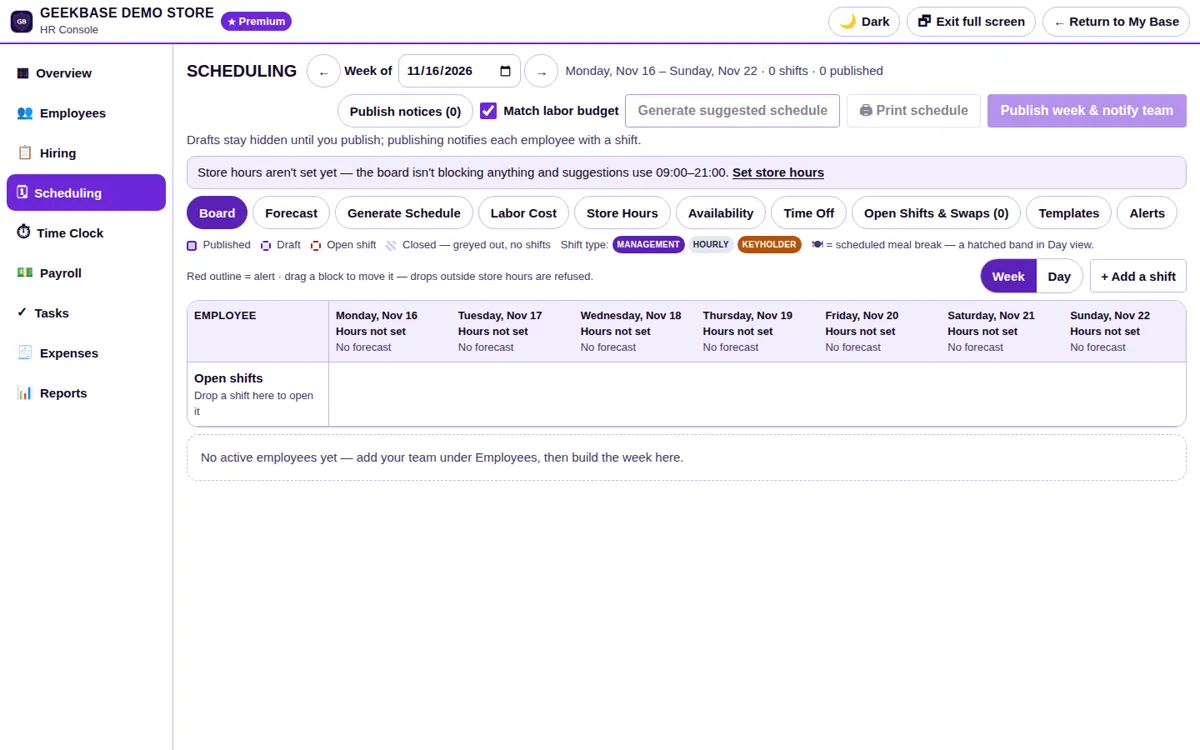
Schedule board
The week at a glance, with Board, Forecast, Labor Cost, Time Off, and Open Shifts views and color-coded shift types. Build the week as drafts, then publish.
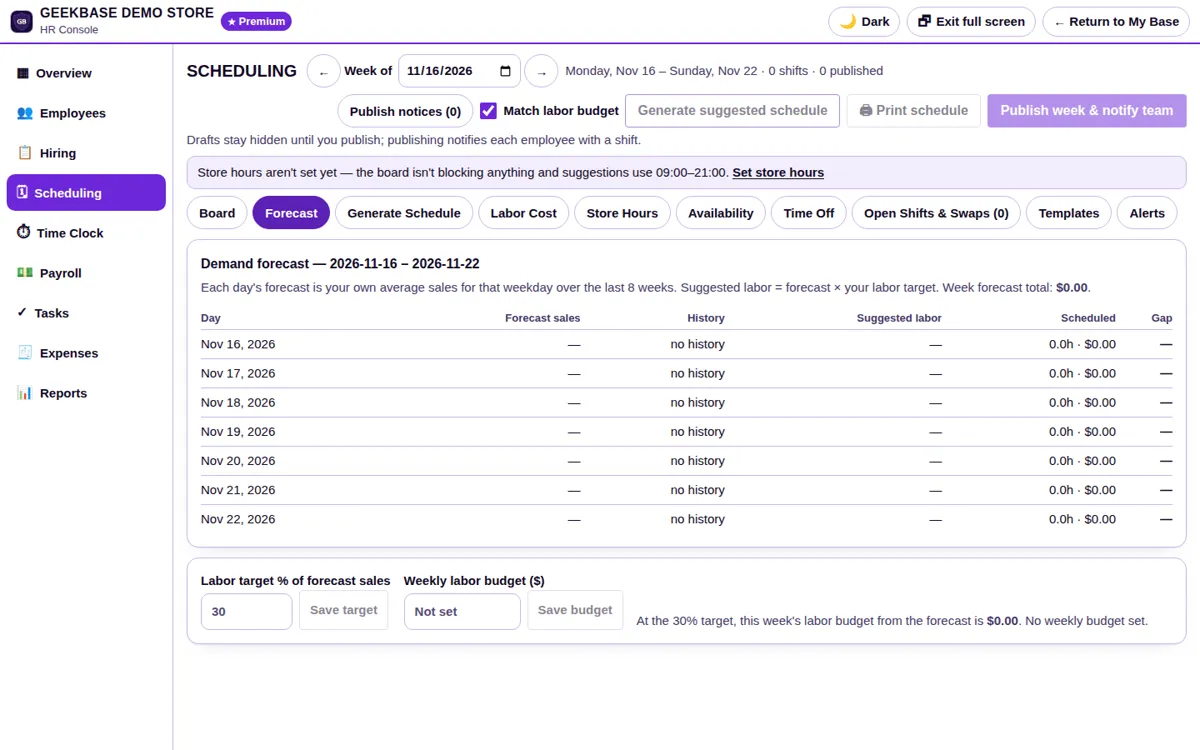
Forecast & labor cost
The schedule checked against your labor budget before it goes out, with a suggested schedule generated from it — so an over-budget week is caught while it is still a draft.
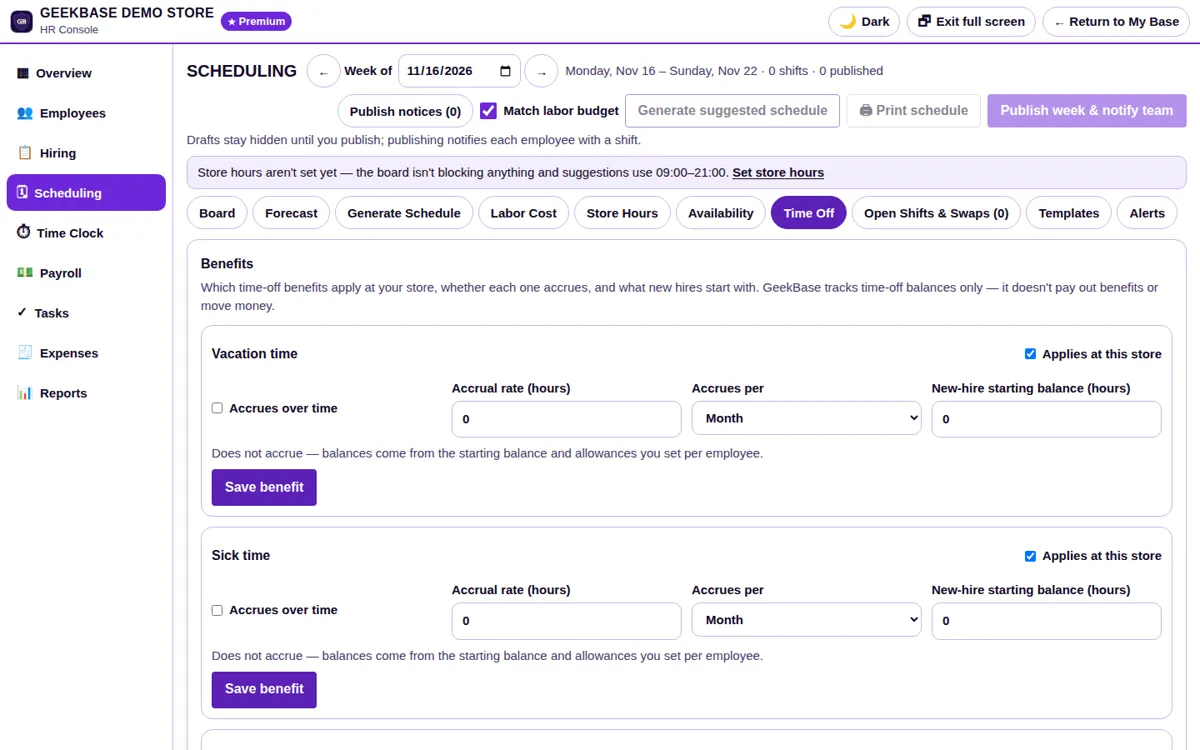
Time off & open shifts
Requests and unfilled shifts are handled on the same board as the schedule itself, not in a separate inbox.
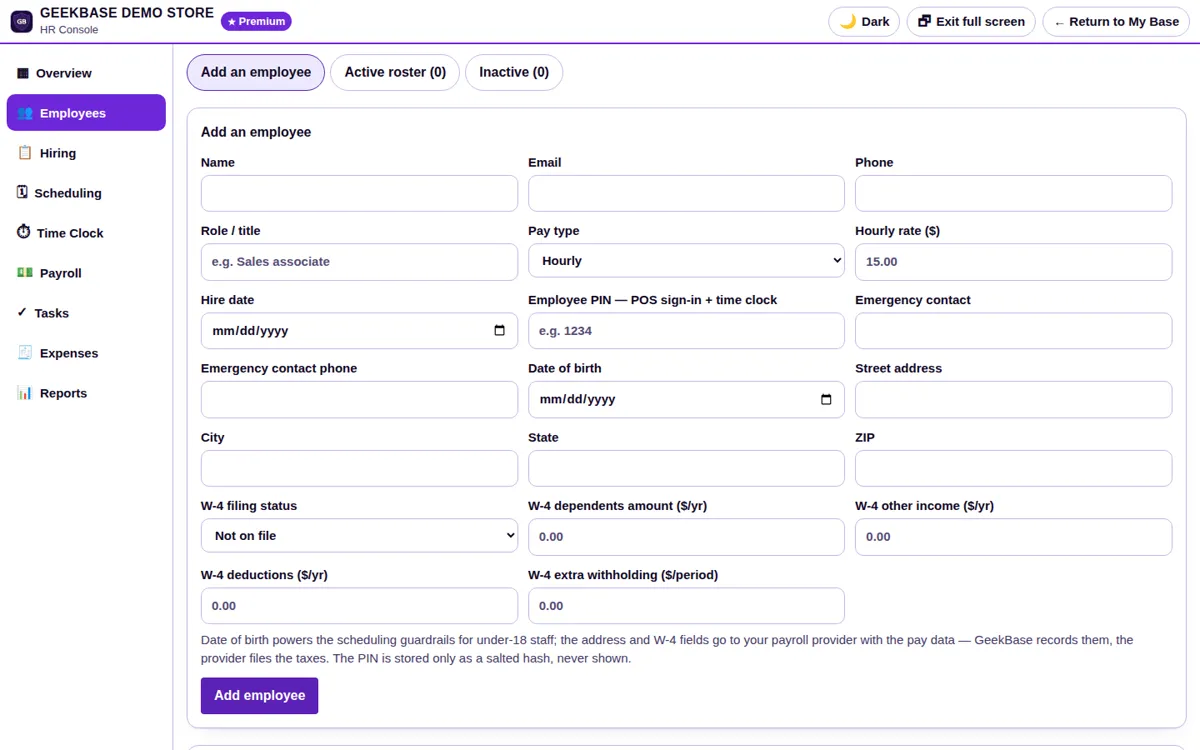
Employee records
The full employee lifecycle in one record per person. Applications ask only for what is required: name, contact information, certification, and Social Security number — stored encrypted and shown masked to the last four.
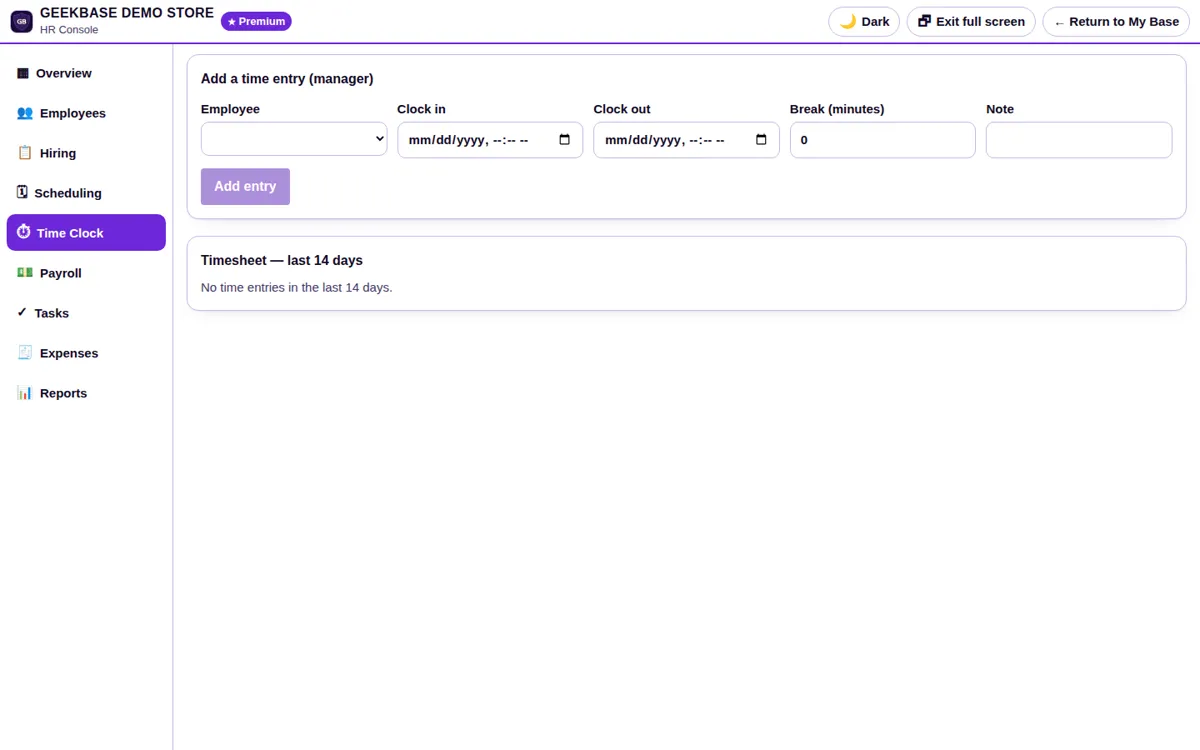
Time management
PIN clock in and out, meal breaks, and hours per employee, rolling straight into the pay period. The hours payroll sees are the hours that were actually worked.
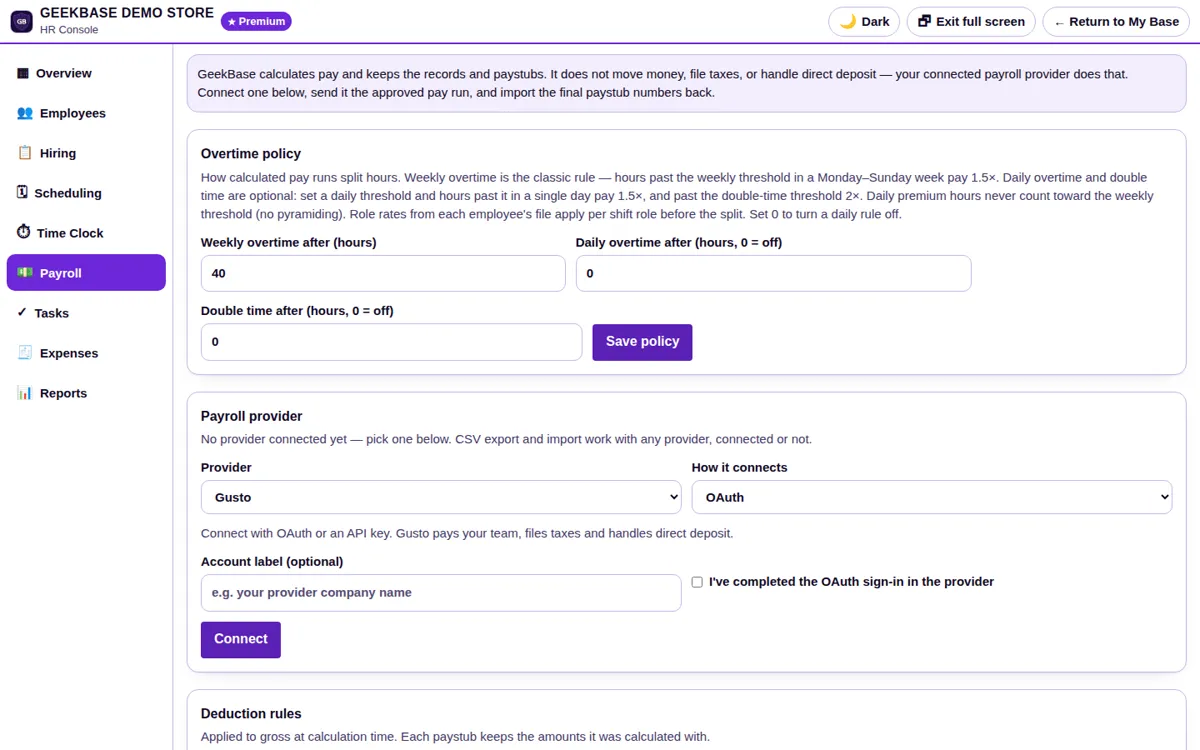
Payroll & paystubs
Pay calculated from tracked hours, with paystubs and payroll records produced in the console. Identity documents are never stored — verification is attestation-only.
HR Console questions
Is the HR Console included in my plan?
It is an add-on at $49.99/mo, first month $1, on Premium. See the pricing notes below the plan table.
Do staff need a separate time-clock login?
No. Staff clock in and out with the same PIN they use at the register.
Does it pay my staff?
It calculates pay and produces paystubs and records only. It never moves money, files taxes, or makes direct deposits — your connected payroll provider does that part.
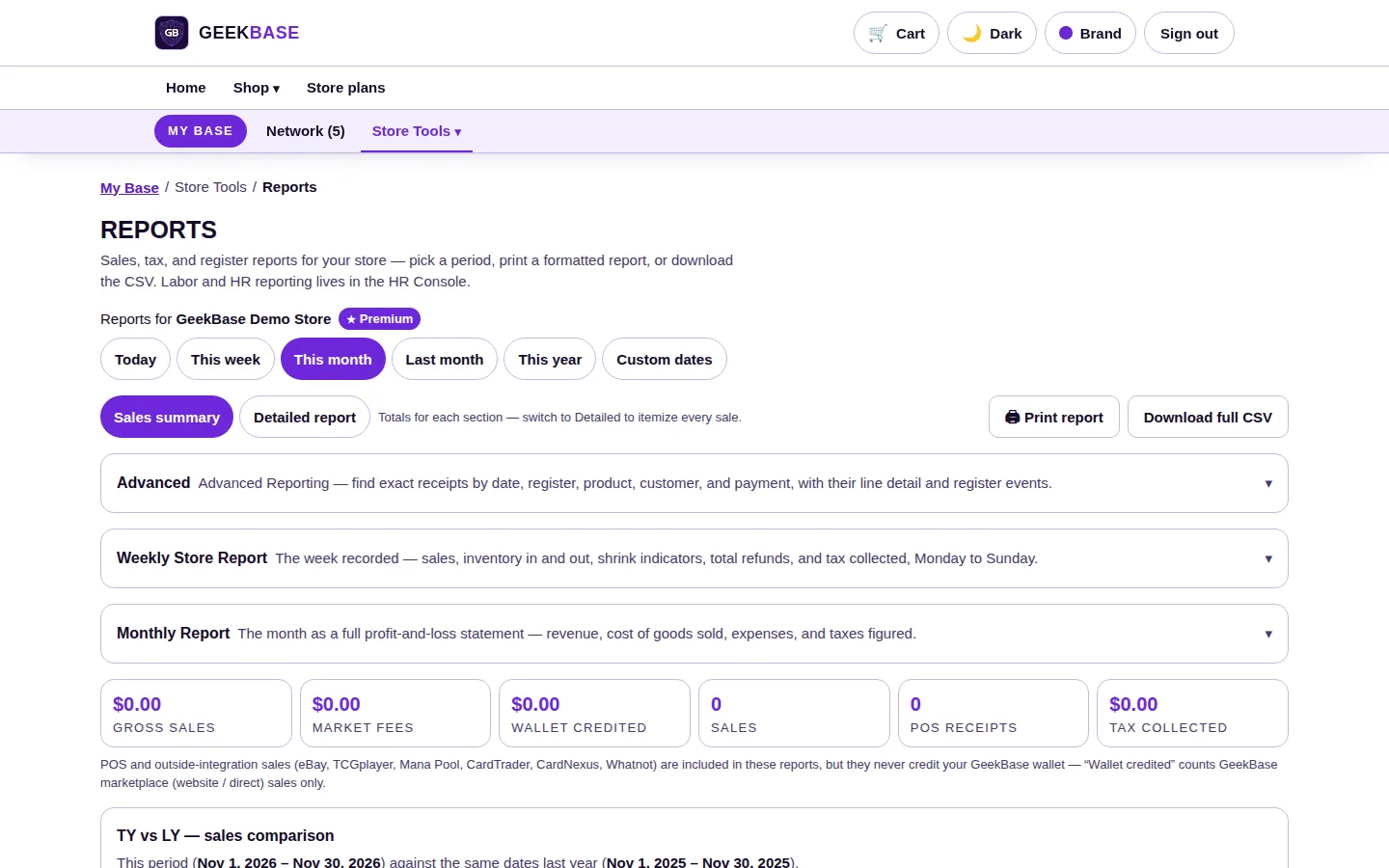
Reports
Sales, fees, and tax figures for any period, without exporting to a spreadsheet first.
- Sales summary. Any period — today, week, month, year, or your own dates — with channel fees, store credit, and tax collected broken out. Print any report or download the CSV.
- Weekly Store Report. Sales, inventory in and out, shrink indicators, refunds, and tax, Monday to Sunday.
- Monthly Report. A full profit-and-loss: revenue, cost of goods sold, expenses, and taxes figured.
Every page, in detail
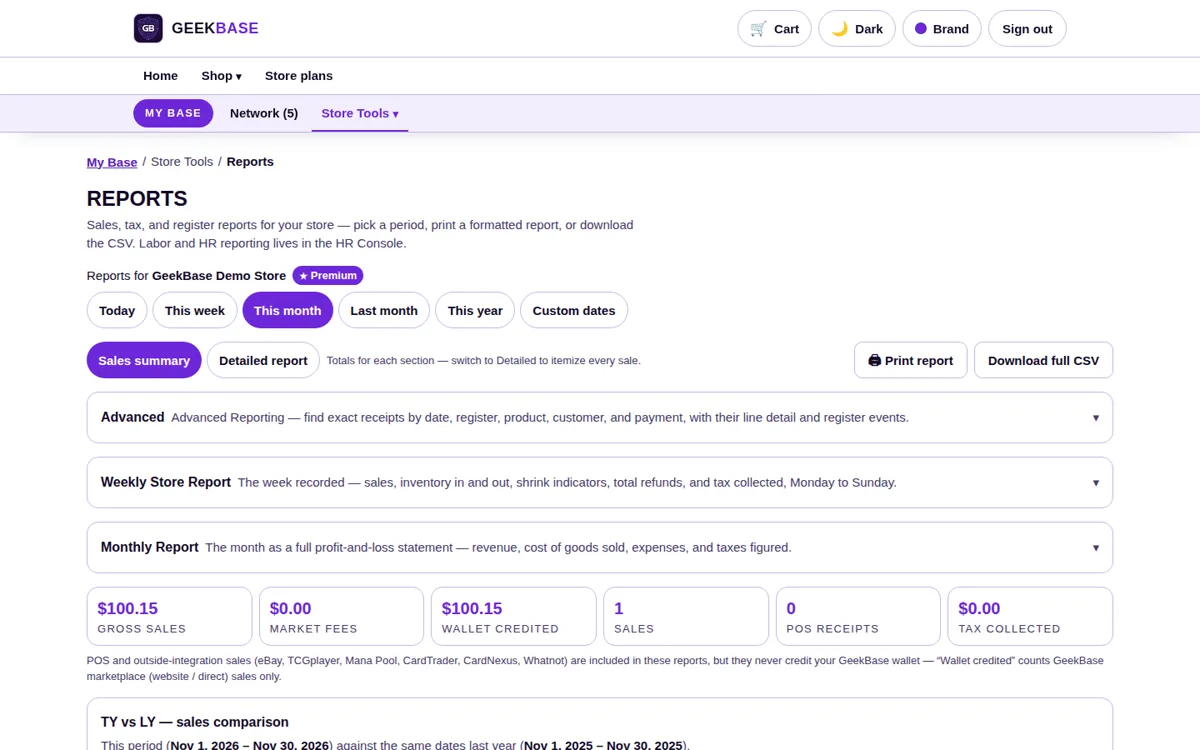
Period picker
Today, this week, this month, this year, or your own date range — every report below re-figures itself for the period you pick.
Sales summary
The totals row for the period: sales with channel fees, store credit issued and redeemed, and tax collected broken out separately.
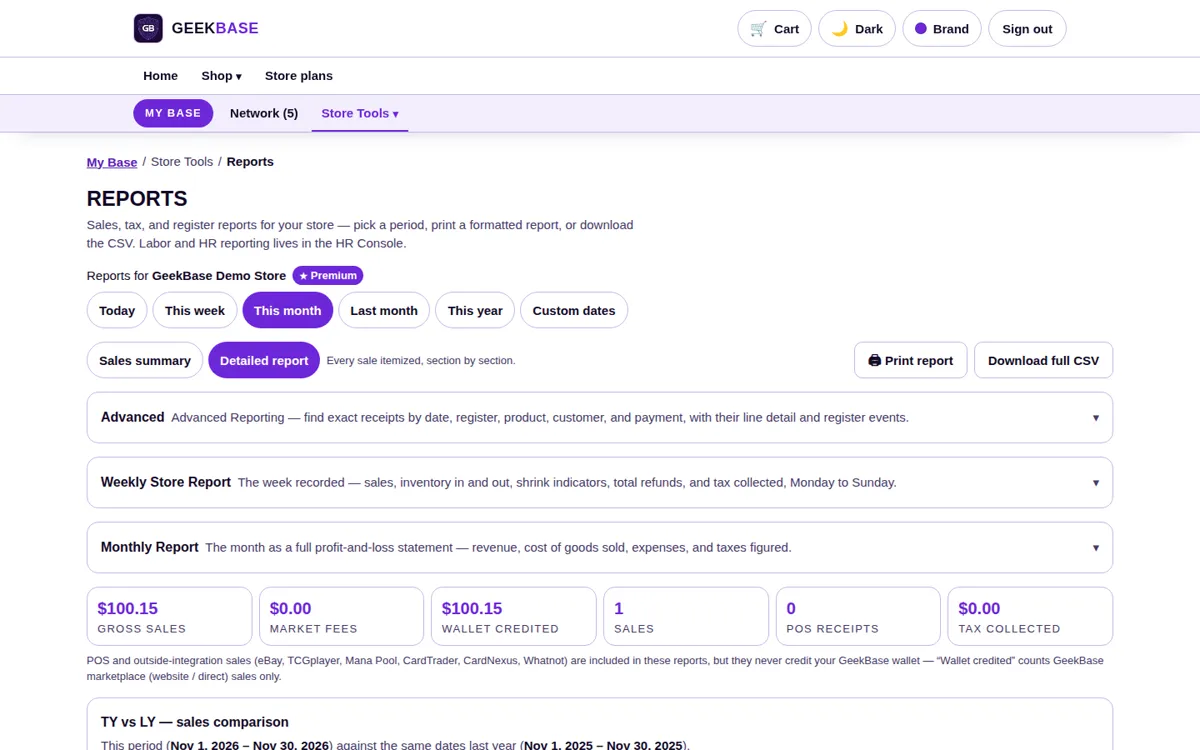
Detailed report
The line-by-line version of the summary — the individual sales behind the totals, for when a number needs checking.
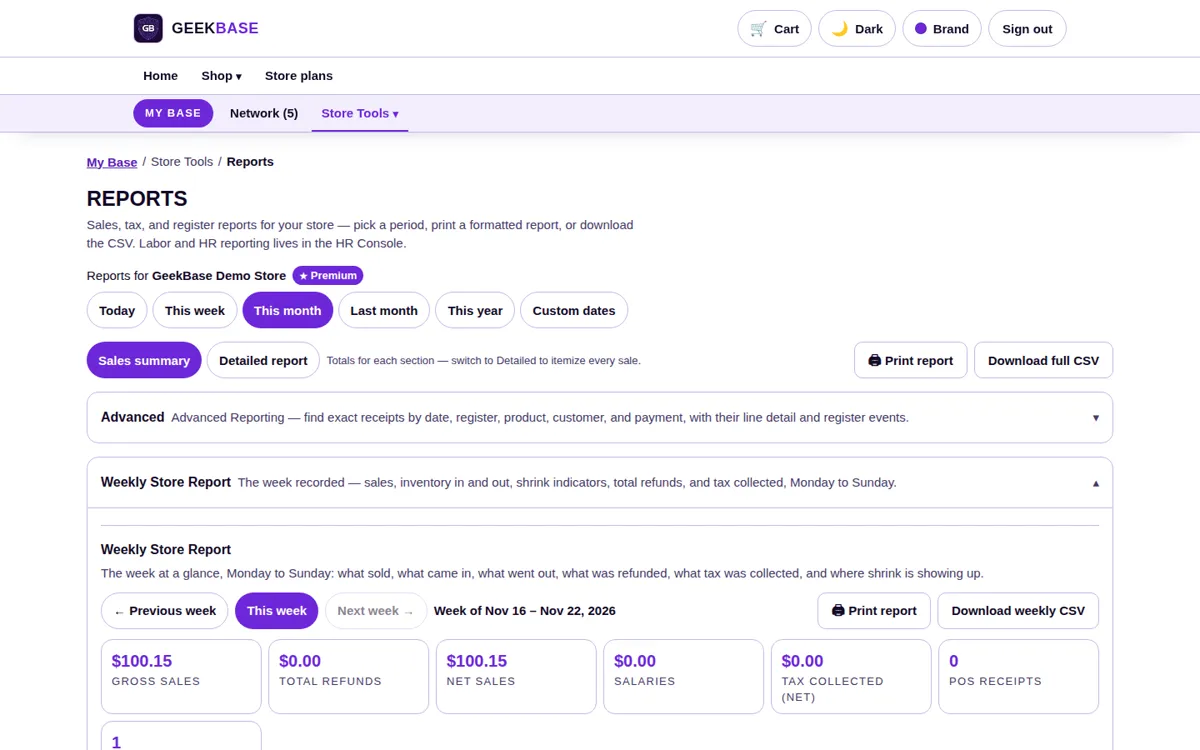
Weekly Store Report
Monday to Sunday: sales, inventory in and out, shrink indicators, refunds, and tax — the weekly rhythm of the store on one page.
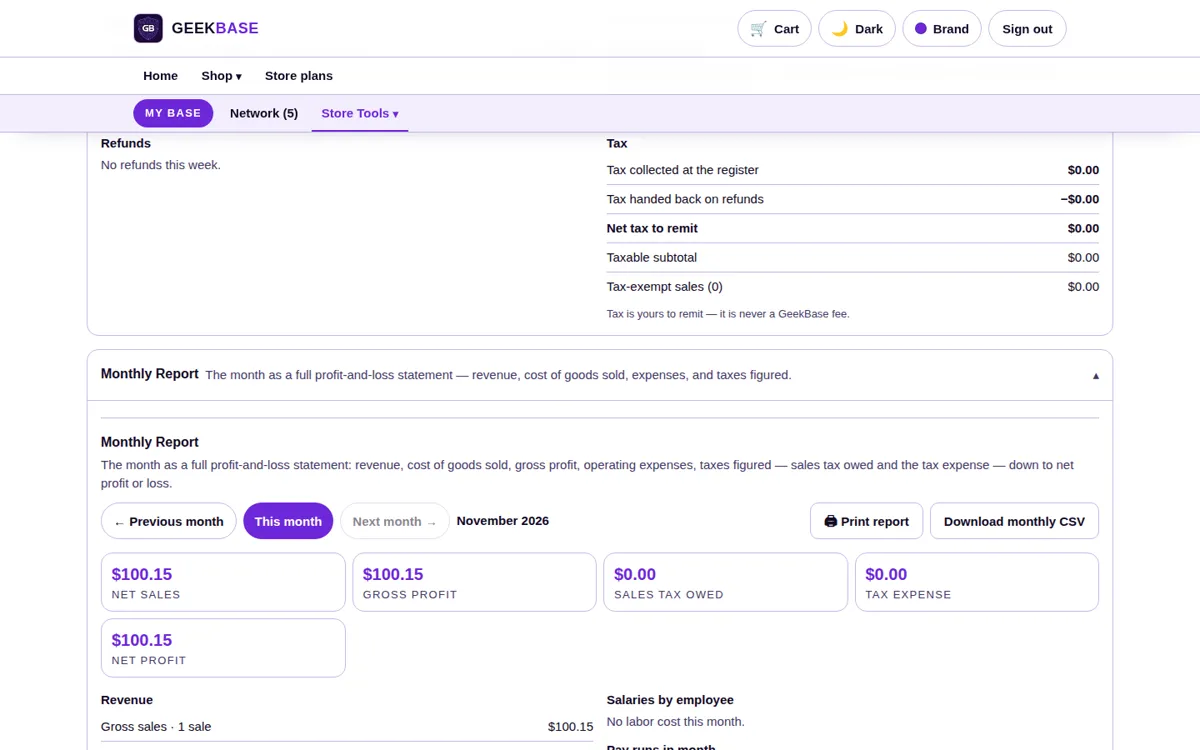
Monthly Report
A full profit-and-loss for the month: revenue, cost of goods sold, expenses, and taxes figured. Because inventory tracks price paid, cost of goods comes from your real buy prices.
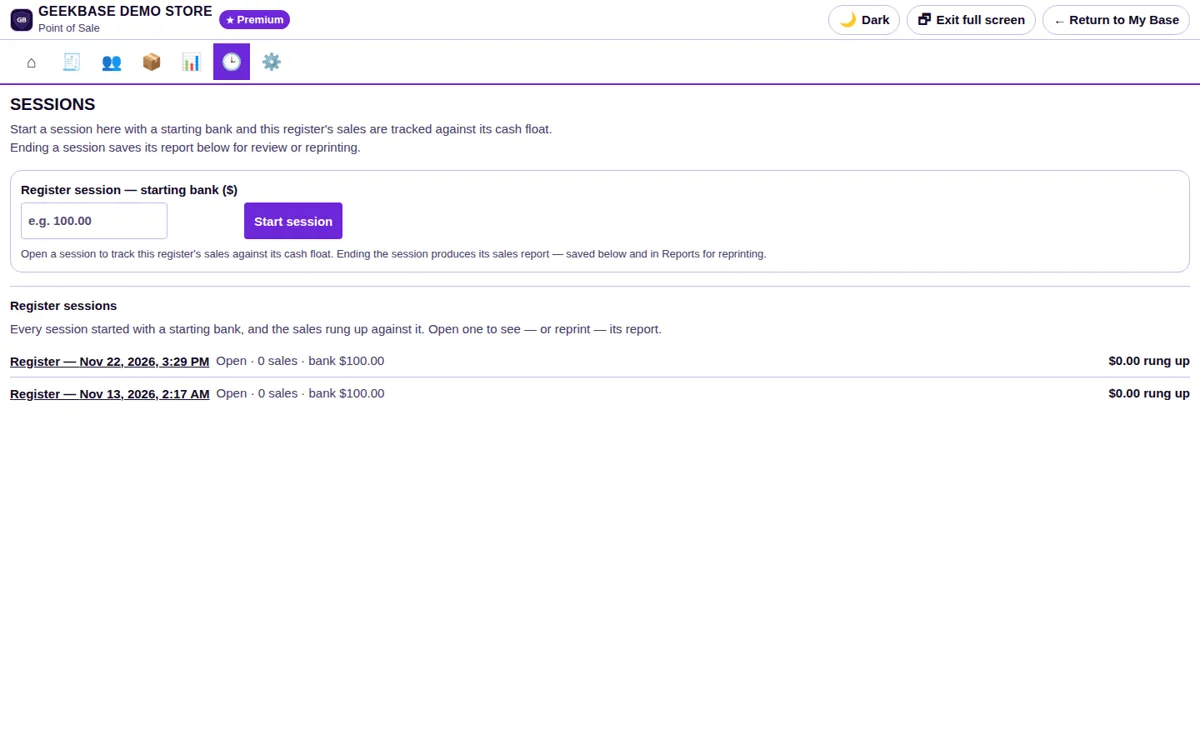
Register close reports
Each register session closes with its own report, tying the drawer back to the sales recorded in that session.
Reports questions
Can I get reports out of the system?
Yes. Any report can be printed or downloaded as a CSV.
Where does cost of goods sold come from?
From the price paid recorded on each item when it entered inventory — at the buy desk, on a distributor invoice, or on import — not from an estimate.
Are fees and tax separated from sales?
Yes. The sales summary breaks out channel fees, store credit, and tax collected alongside the sales total for any period.
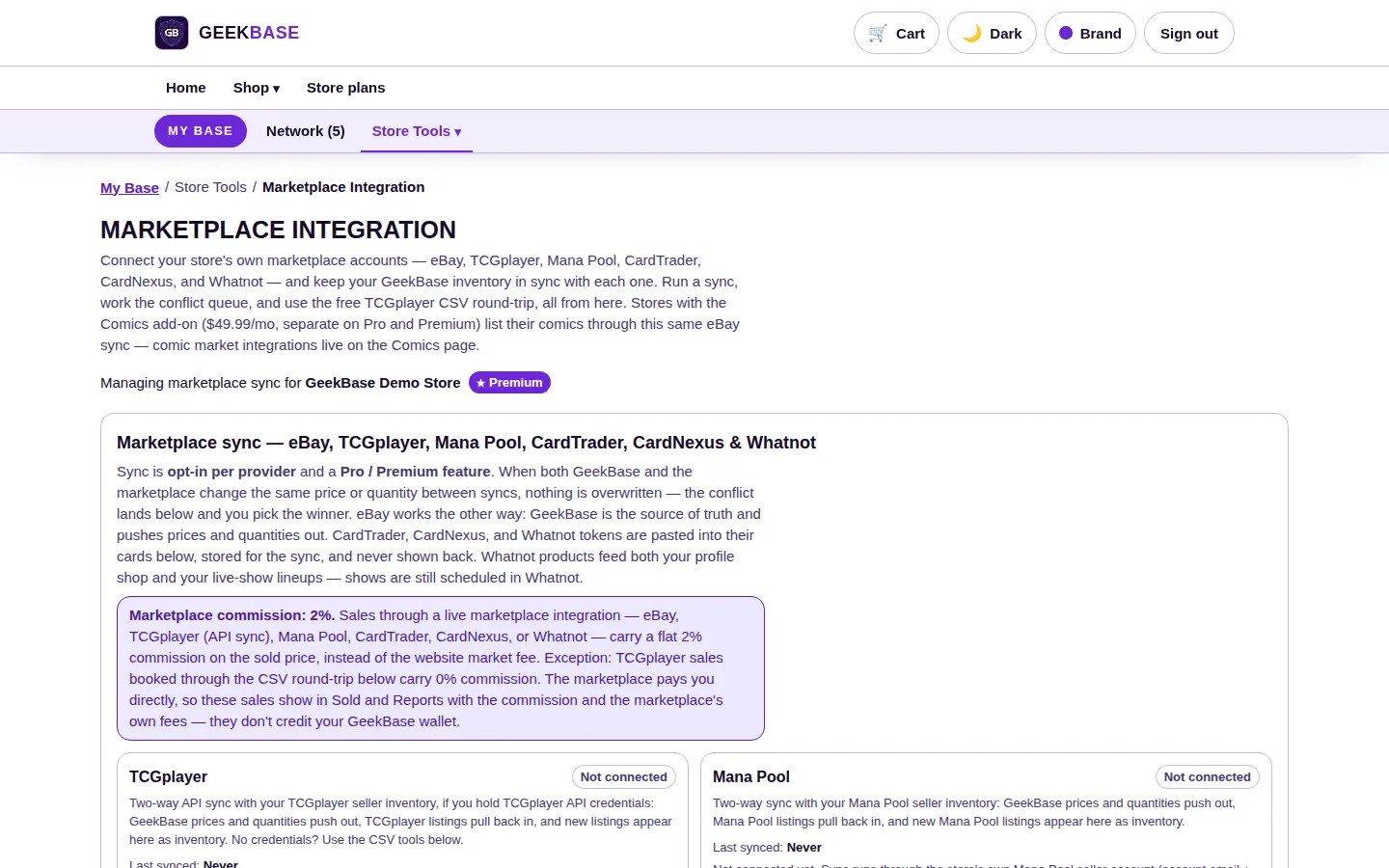
Channel Sync
Your inventory syncs out to the sales channels you already use, and a sale anywhere removes the item everywhere.
- Your accounts. Connect your own eBay, TCGplayer, ManaPool, CardTrader, CardNexus, and Whatnot accounts.
- Two-way sync. Your prices and quantities push out; channel listings pull back in as inventory. When both sides change the same item between syncs, you pick the winner — nothing is silently overwritten.
- No double sales. A sale on any channel takes the item off all the others automatically.
Every page, in detail
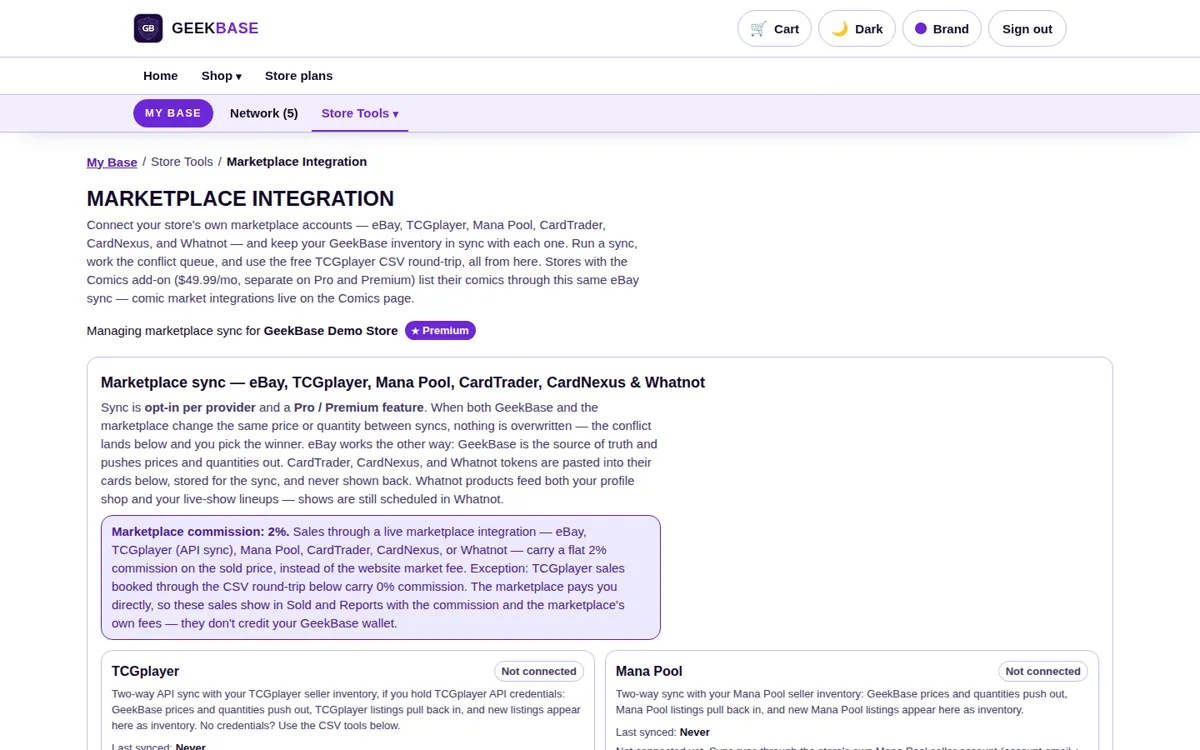
Integrations page
Every channel in one list — eBay, TCGplayer, ManaPool, CardTrader, CardNexus, and Whatnot — each connected to your own account, with the 2% commission on live-integration sales stated on the page.
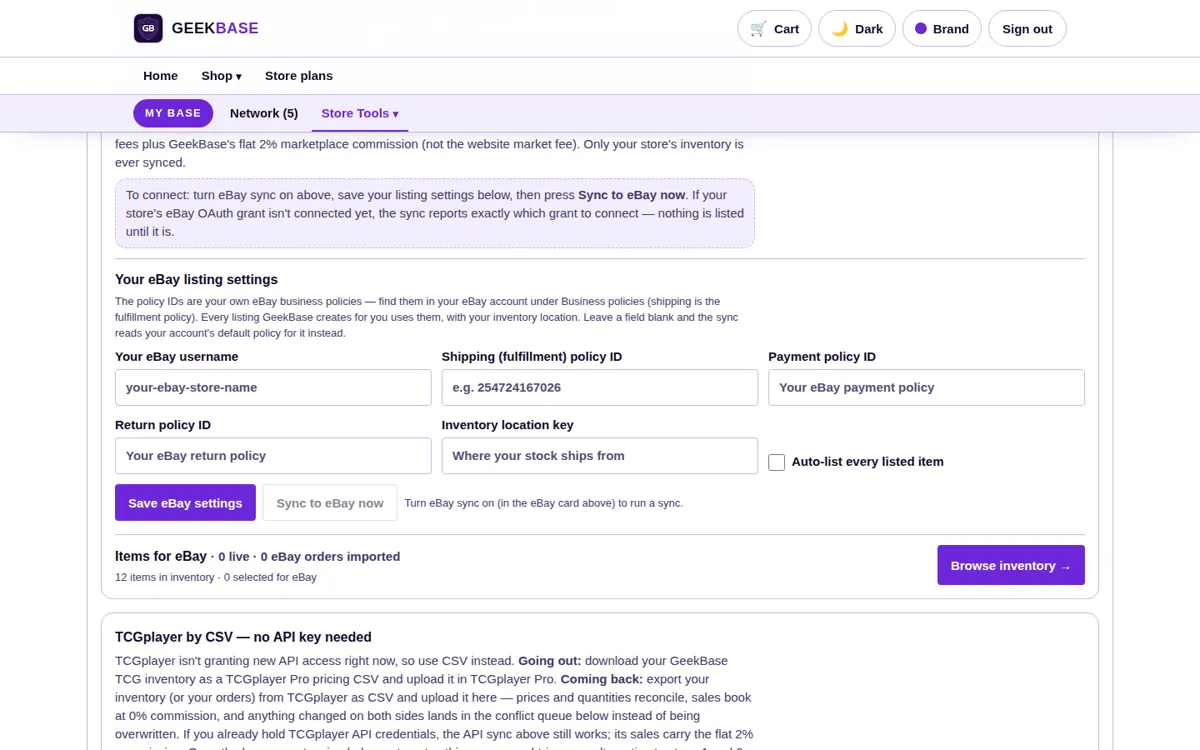
eBay sync
Your GeekBase inventory syncs out to your eBay store. Orders flow back, so a card sold on eBay leaves your other channels too.
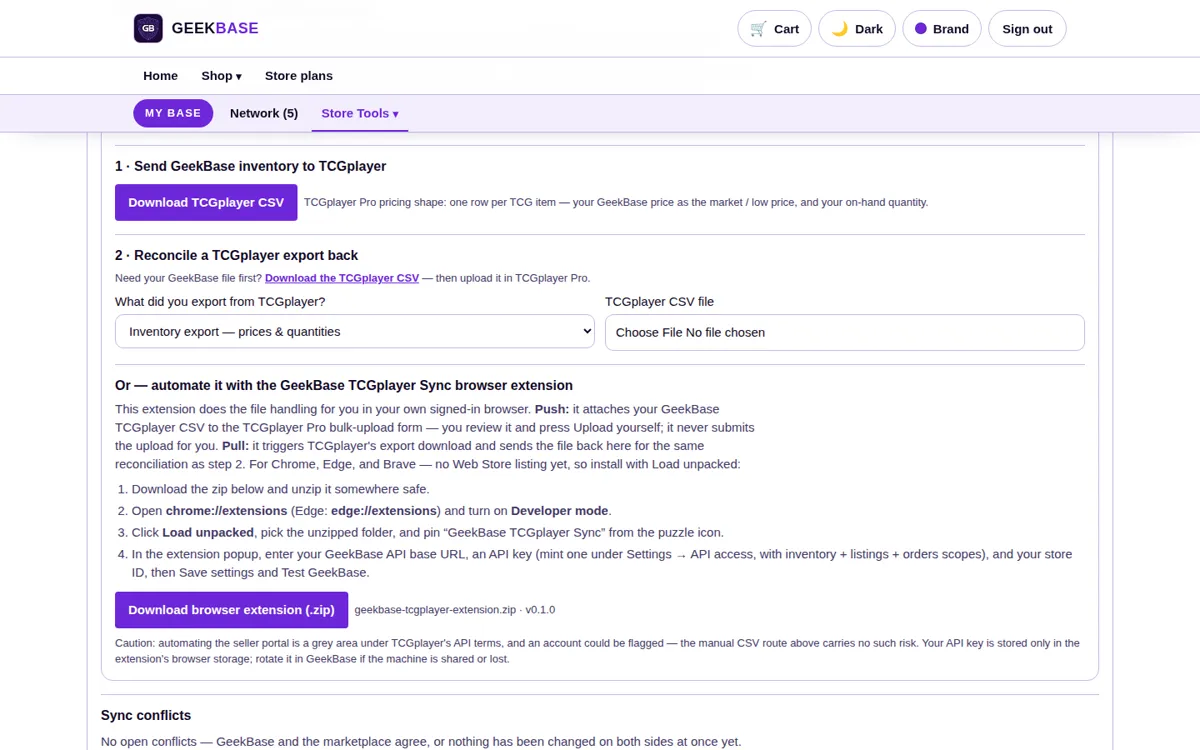
TCGplayer
Connect by CSV where an API connection is not available: sales booked from a CSV file carry no GeekBase fee, while live API-synced sales carry 2%.
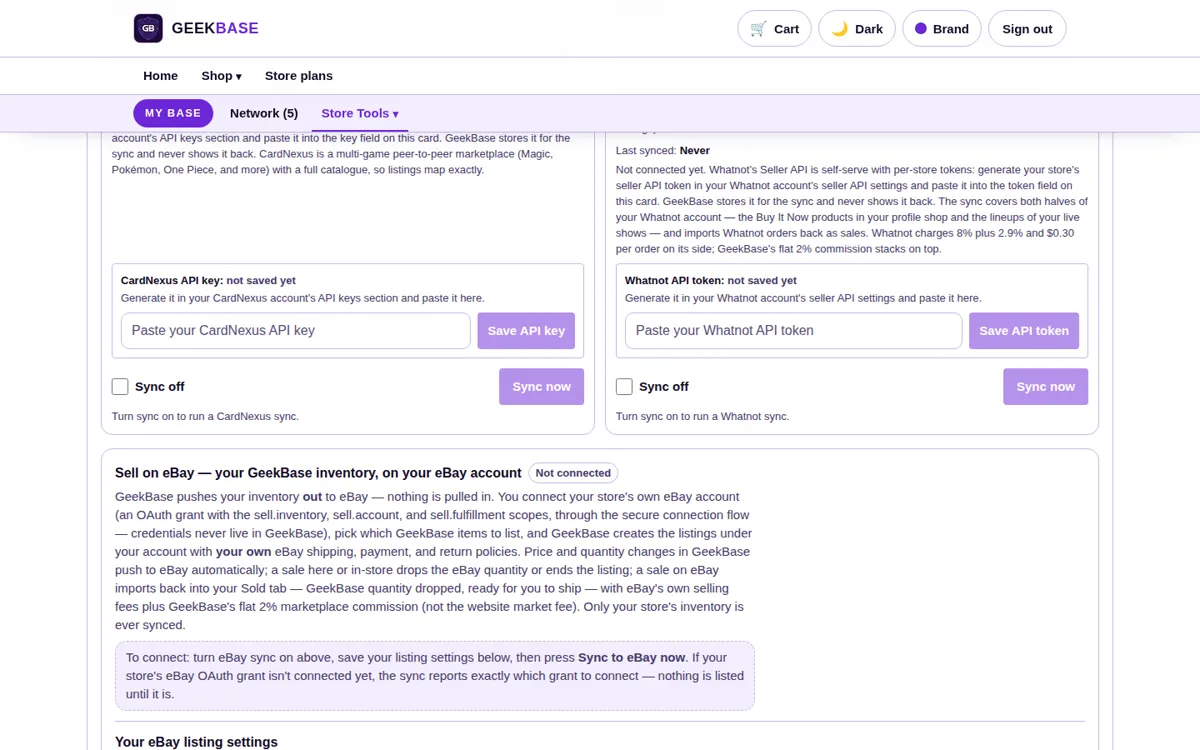
Whatnot
Link your own Whatnot token to sync Buy It Now shop listings and live-show lineups. Orders flow back, so a card sold live on a show leaves your other channels. The fee math is shown on the integration: Whatnot's 8% plus 2.9% and $0.30 per order, with GeekBase's 2% on top.
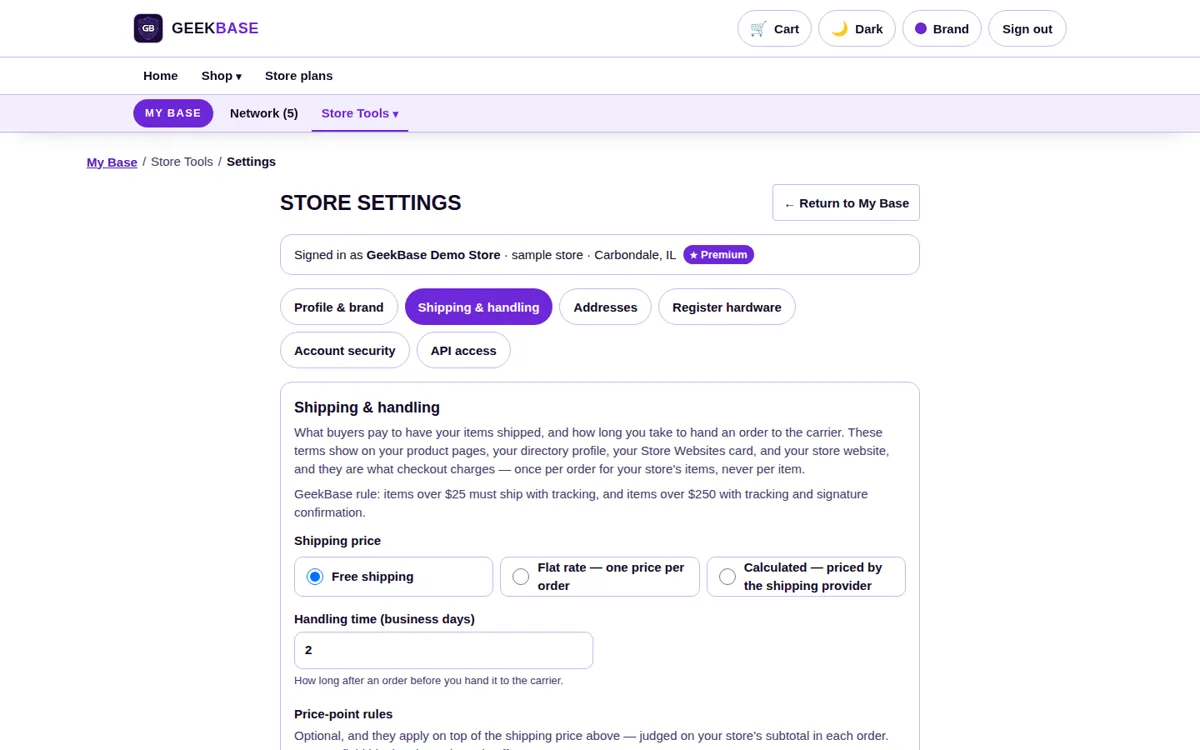
Shipping panel
Labels for shipped orders: letter-envelope rates for cheap TCG singles (US only, up to $25, up to 3.5 oz) alongside parcel labels, bought from the Sold tab.
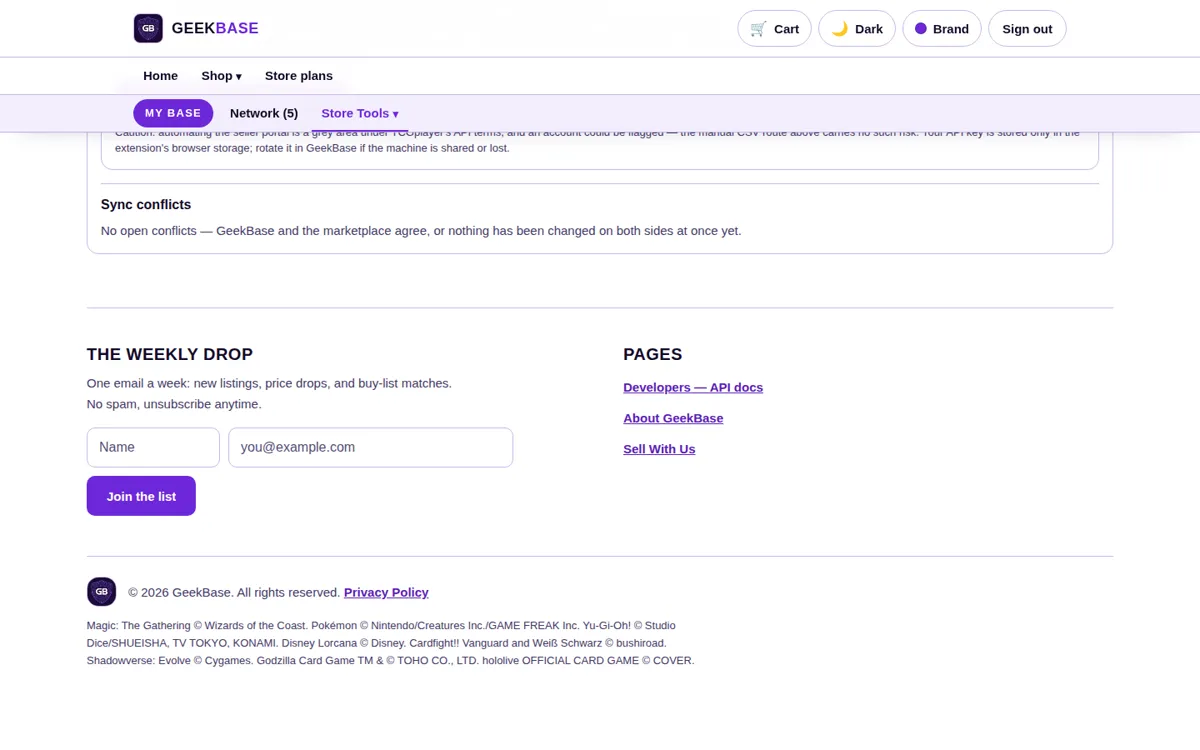
Conflict resolution
When your store and a channel both change the same item between syncs, you pick which side wins. Nothing is silently overwritten.
Channel Sync questions
Which channels can I connect?
Your own eBay, TCGplayer, ManaPool, CardTrader, CardNexus, and Whatnot accounts. Sync is opt-in per channel — connect only the ones you sell on.
What does Channel Sync charge?
2% on sales that come through a live integration. Sales booked from a TCGplayer CSV file are 0%. Register sales and your own storefront follow their own plan rules, stated in pricing.
Can the same card sell twice on two channels?
No. A sale on any channel removes the item from all the others automatically.
Comics
The comics module handles back issues the same way as singles: exact issues, real covers, current prices.
- Full catalog. Hosted covers, and you pick the exact issue and variant — never an auto-assigned one.
- Sold-price pricing. Prices follow recent eBay sold prices, with per-comic locks and a store-wide shut-off.
- Pull lists as counts. Subscribers and copies per issue, so you know what to pull and set aside.
Every page, in detail
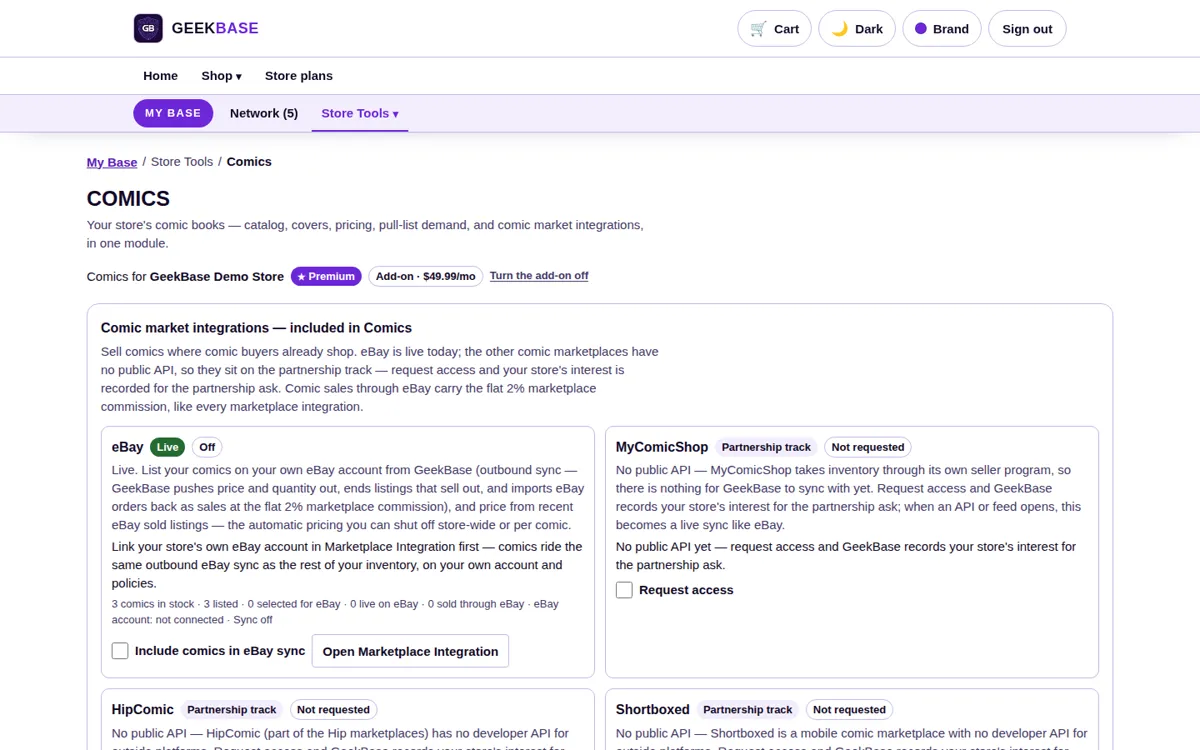
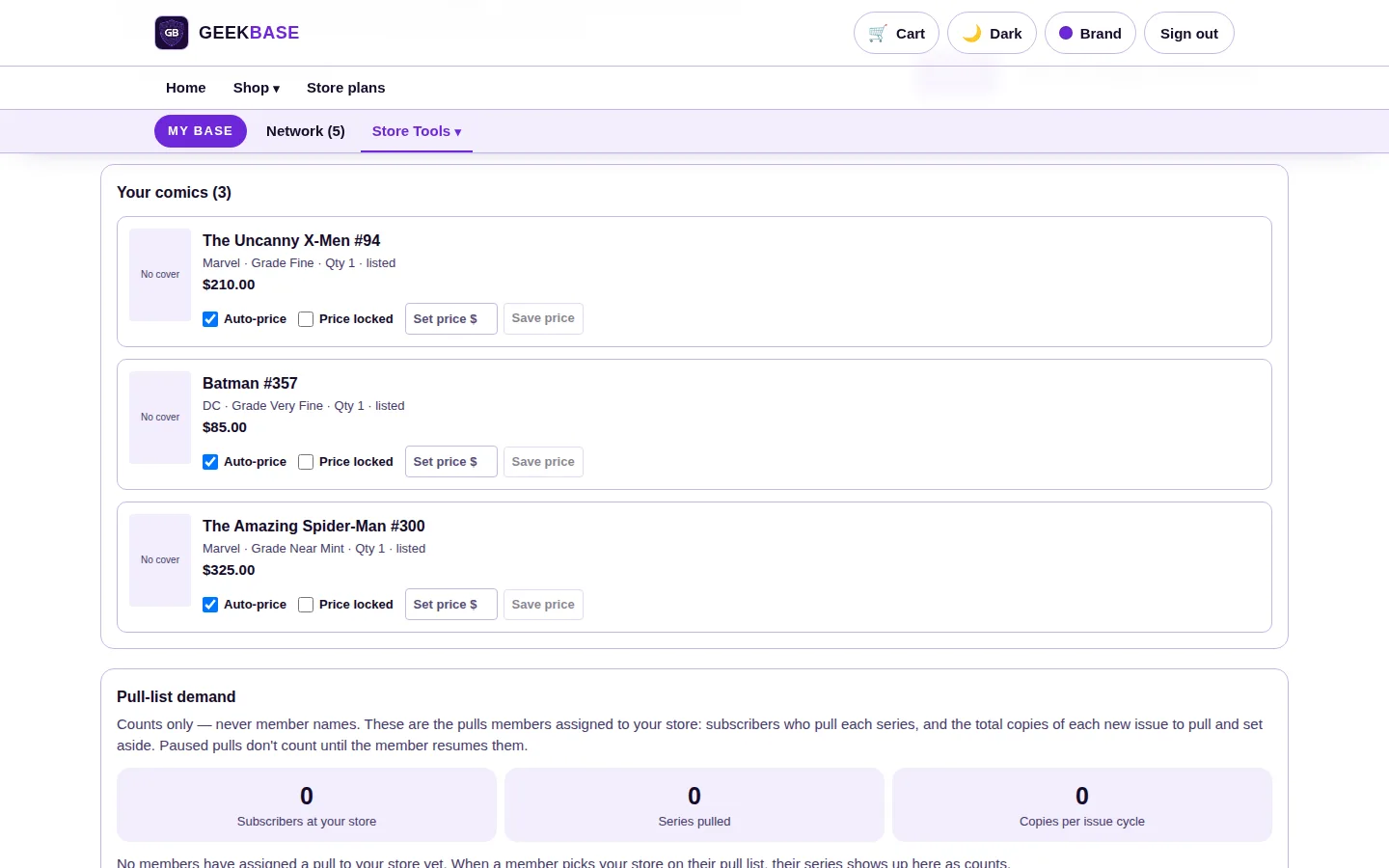
Comics inventory
Your back issues with grades and prices — Uncanny X-Men #94, Batman #357, and Amazing Spider-Man #300 are the Demo Store's shelf. Cover art comes with the catalog; the Comics FAQ below covers when it appears. Comics sit in the same stock system as the rest of the store.
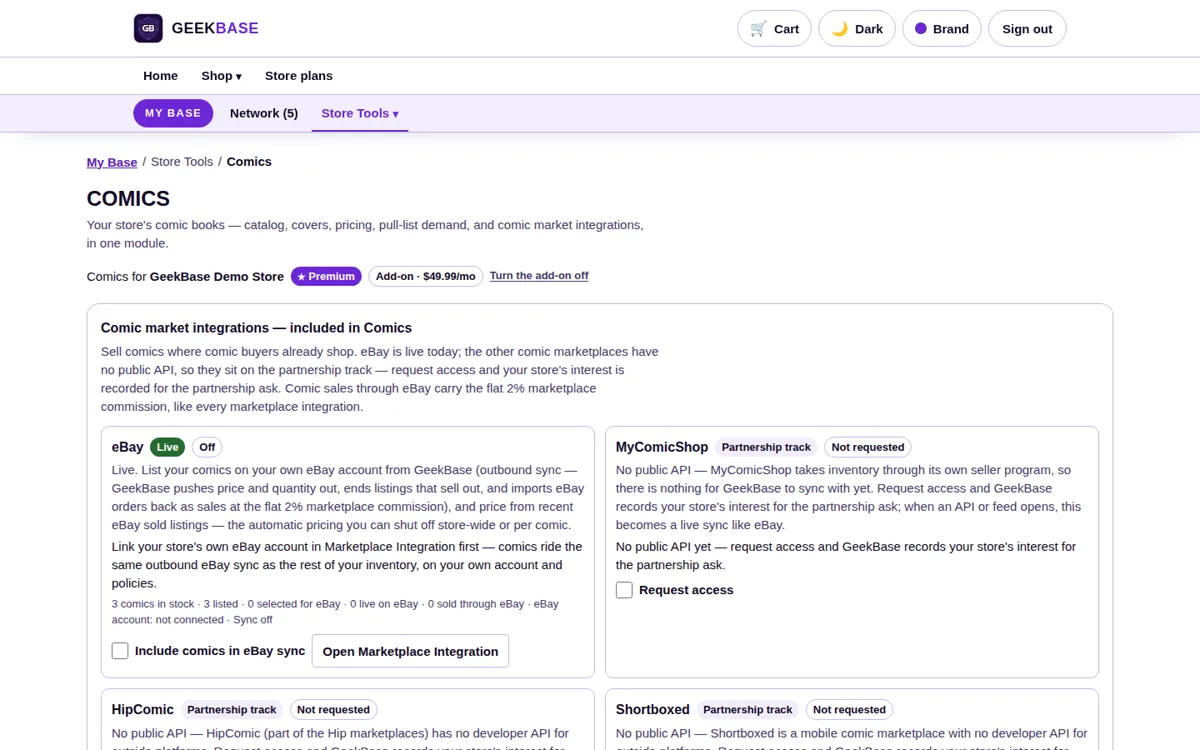
Catalog search
The catalog is mirrored from Metron and kept current with a daily sync, with GCD backfill for older material. You search it and pick the exact issue and variant — never an auto-assigned one.
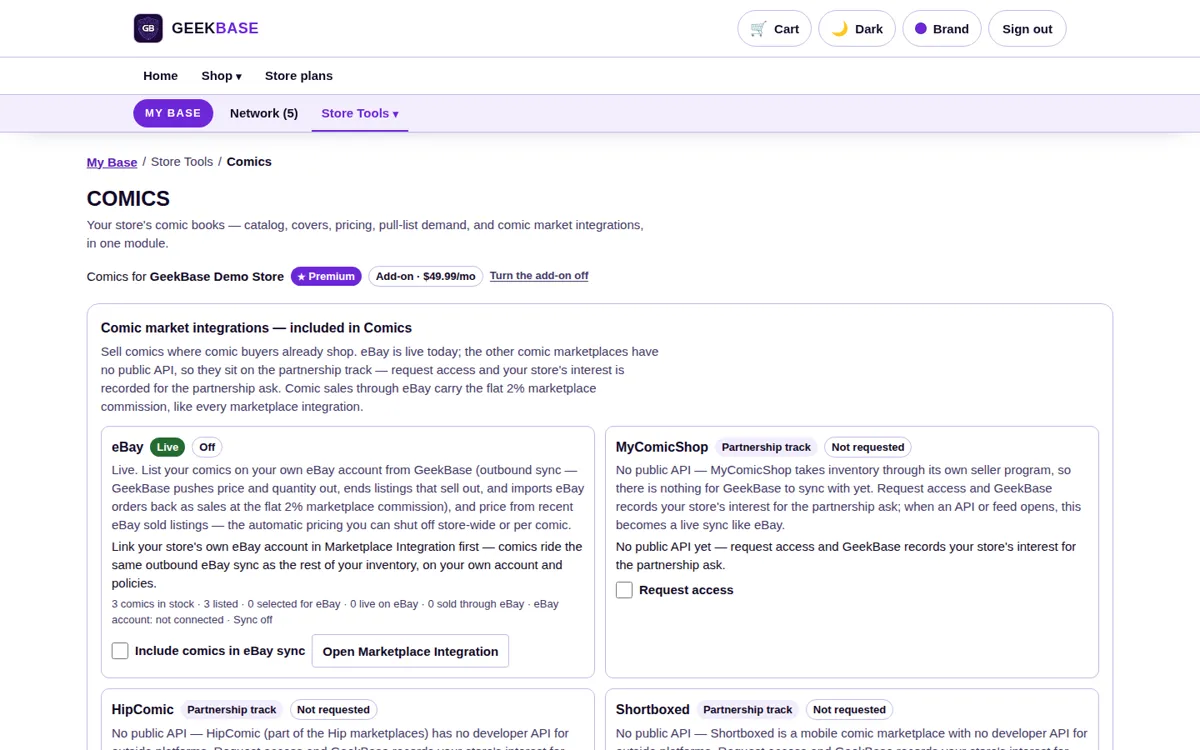
Auto-price controls
Prices follow recent eBay sold prices. Lock any individual comic to your own price, or shut automatic pricing off store-wide — the same control pattern as singles pricing.
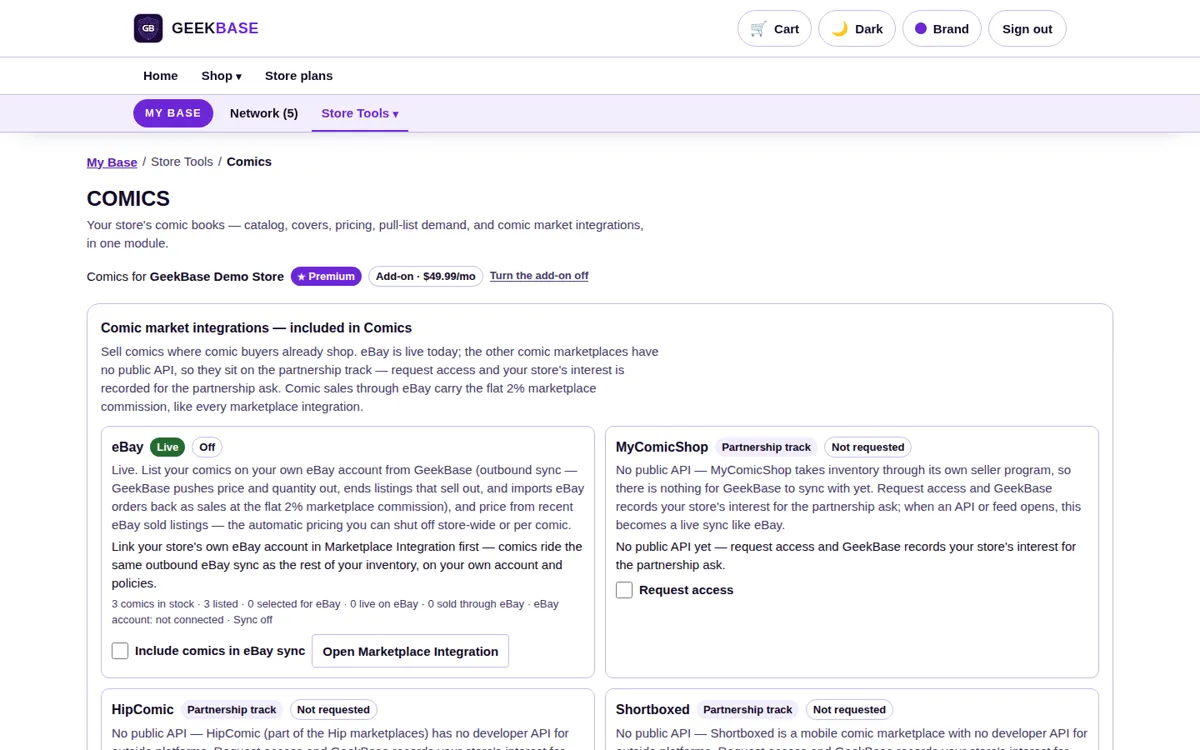
Pull-list demand
Subscriber and copy counts per issue, shown as counts only, so ordering and pulling for release day is based on real demand at your store.
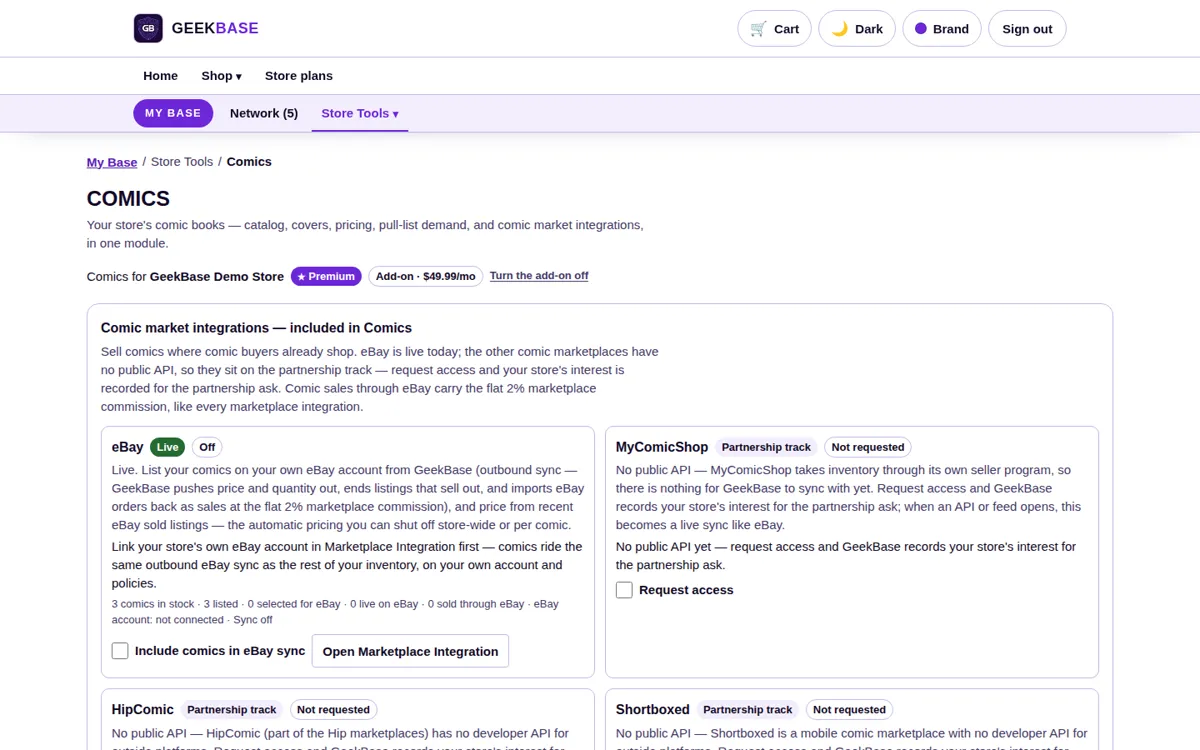
Channel listings
The module includes comic channel integrations, starting with eBay outbound — your comics listed from the same inventory your register sells.
Comics questions
Is Comics included in my plan?
It is an add-on module at $49.99/mo, first month $1, available on Pro and Premium. It is locked on Free.
Where do comic prices come from?
Recent eBay sold prices. You can lock any comic to your own price or shut automatic pricing off entirely.
What do I see from customer pull lists?
Counts only — how many subscribers and how many copies per issue. That is what you need to order and pull against, and it is all the module shows.
Pricing
Three plans, priced per store. Plan limits for scans, kiosks, and registers are in the table; add-on pricing is below it.
| Feature | Free$0/mo | Pro$89.99/mo · $899.90/yr | Premium$149.99/mo · $1,499.90/yr |
|---|---|---|---|
| Register (POS) sales | 50 / month | Unlimited | Unlimited |
| Platform fee on register sales | None | None | None |
| Registers | 1 | Unlimited | Unlimited |
| Kiosks | — | 1 | Unlimited |
| Card scans / month | 500 | 5,000 | 20,000 |
| Listings | Unlimited | Unlimited | Unlimited |
| Store website | — | Own domain | Own domain, extra themes and custom theme support |
| POS & kiosk branding | Store brand color | Store brand color | Full brand customization — register and kiosk match your store's branding |
| Fee on your own storefront sales | — | 2% | 0% |
| Channel sync (eBay, TCGplayer, Whatnot & more) | — | Included — 2% on live-integration sales | Included — 2% on live-integration sales |
| Reports | Included | Included | Included |
First month of Premium is $1 for new stores. Annual billing is two months free on Pro and Premium.
Add-ons: the Comics module and the HR Console are $49.99/mo each, first month $1. Extra Premium locations are $49.99/mo each.
Moving your store
-
1
Bring your data
Inventory imports from Crystal Commerce, BinderPOS, Square, or others. Distributor invoices (CSV, PDF, or a photo) build stock from a delivery. Customer accounts and store credit balances come across too.
-
2
Get help landing
White-glove migration is free with an annual Premium plan ($299 one-time otherwise), and Premium includes an onboarding call.
-
3
Sell the same day
Set staff PINs, open a register session, and ring up the first sale. Your old system stays readable while you settle in.
Frequently asked questions
Does the register work with my existing hardware?
Yes — receipt printers, barcode scanners, USB cash drawers, and payment terminals, with setup in Settings.
What does GeekBase take from a register sale?
Nothing. POS sales are fee-free on every plan — the register is part of the subscription. Fees only appear where a sale comes through another channel: your own storefront (0% Premium, 2% Pro) and live channel integrations (2%).
I'm on Crystal Commerce, BinderPOS, or Square. Can my data move?
Yes. Inventory imports from all three — and from other systems too — and customer accounts and store credit balances come across too — see “Moving your store” above.
How do card prices stay current?
Market prices for the top 10 TCGs refresh daily at 6:30 AM Central, per exact printing. Lock any card to your own price, or shut automatic pricing off entirely — your number always wins.
Does GeekBase run my payroll?
The HR Console calculates pay, tracks time with the same staff PINs as the register, and produces paystubs and records. It never moves money or files taxes — your connected payroll provider does that part.
Register
Does the register lock when nobody is signed in?
Yes. Every register function stays locked until a staffer signs in with their PIN, and Secure register locks it back. A store with no staff created yet stays unlocked until the first staffer exists.
Can I sell a card that's out of stock?
Yes. Sold-out items show with a Stock: 0 pill and can still be rung up; the sale is flagged as an oversell and the item relists at a negative count.
Inventory
What does inventory track on each item?
Quantity, price paid, UPC, and category — and for TCG singles, the exact printing: set, card number, finish, and condition, with an actual stock photo of the card.
How do distributor deliveries get into stock?
Upload the invoice as a CSV, PDF, or photo. You review and edit the lines first; restocks merge into items you already carry and new items enter at the invoice's retail price, so a delivery is on the shelf the same day.
Card Scanner
Which games does the card database cover?
The top 10 TCGs: Magic: The Gathering, Pokémon, One Piece, Yu-Gi-Oh!, Riftbound, Lorcana, Gundam, Union Arena, Dragon Ball Super: Fusion World, and Digimon. The seven newer games are marked experimental in the scanner.
How many scans does each plan include?
500 a month on Free, 5,000 on Pro, and 20,000 on Premium. Typing a card in by hand never counts against the allowance.
Kiosk
How many kiosks can I run?
Pro includes one kiosk; Premium includes unlimited kiosks. Kiosks are not included on Free.
What can a customer do at the kiosk?
Browse your live stock and prices, place a free 1-hour hold to pick up at the counter, or post a buy-list hunt for a card you don't have.
Store Website
Can my website use my own domain?
Yes. Pro and Premium websites run on your own domain, with your brand color set once in Store Settings carrying across the website, the POS, and the kiosk. Premium adds extra themes and custom theme support.
What does a pickup order cost?
Nothing extra. “Pick up in store — pay in store” orders carry no shipping, no card charge, and no fee; the customer pays at your counter.
HR Console
What does scheduling include?
A week board with Forecast, Labor Cost, Time Off, and Open Shifts views. Build the week as drafts, check it against your labor budget, then publish — staff with a shift are notified.
What employee information is stored?
Applications ask only for required fields: first and last name, contact information, certification, and Social Security number, which is encrypted at rest and shown masked to the last four. ID documents are never stored — verification is attestation-only.
Reports
Which reports are included?
A sales summary and detailed report for any period, a Weekly Store Report (Monday to Sunday: sales, inventory in and out, shrink indicators, refunds, and tax), and a Monthly Report with a full profit-and-loss. Reports are included on every plan and can be printed or downloaded as CSV.
Channel Sync
What happens if a channel and my store disagree on an item?
You pick the winner. When both sides change the same item between syncs, the conflict is surfaced for you to resolve — nothing is silently overwritten.
How does Whatnot pricing work?
Whatnot takes 8% plus 2.9% and $0.30 per order; GeekBase adds 2% on top for sales through the integration. The math is shown on the integration page before you connect.
Comics
Where does the comics catalog come from?
The catalog is mirrored from Metron with a daily sync and GCD backfill, and covers are hosted with the catalog. You always pick the exact issue and variant yourself.
When do comic prices appear?
The catalog starts empty for a new store: an admin runs the catalog sync and price update first, and covers and prices appear from there. Prices then follow recent eBay sold prices unless you lock them.
Start with the free plan
Open your account, bring your inventory over, and ring your first sale.
No card required. Cancel any time from your account.